
June 30, 2026 – by Jules Holleboom
Changelog
Fine-tune your batches and more
In the previous changelog, we made it easier to create batches using presets. We're building on that: you can now fine-tune your batches even further, with new filters and options. In this changelog, you can read everything that's changed.
Fine-tune your batches
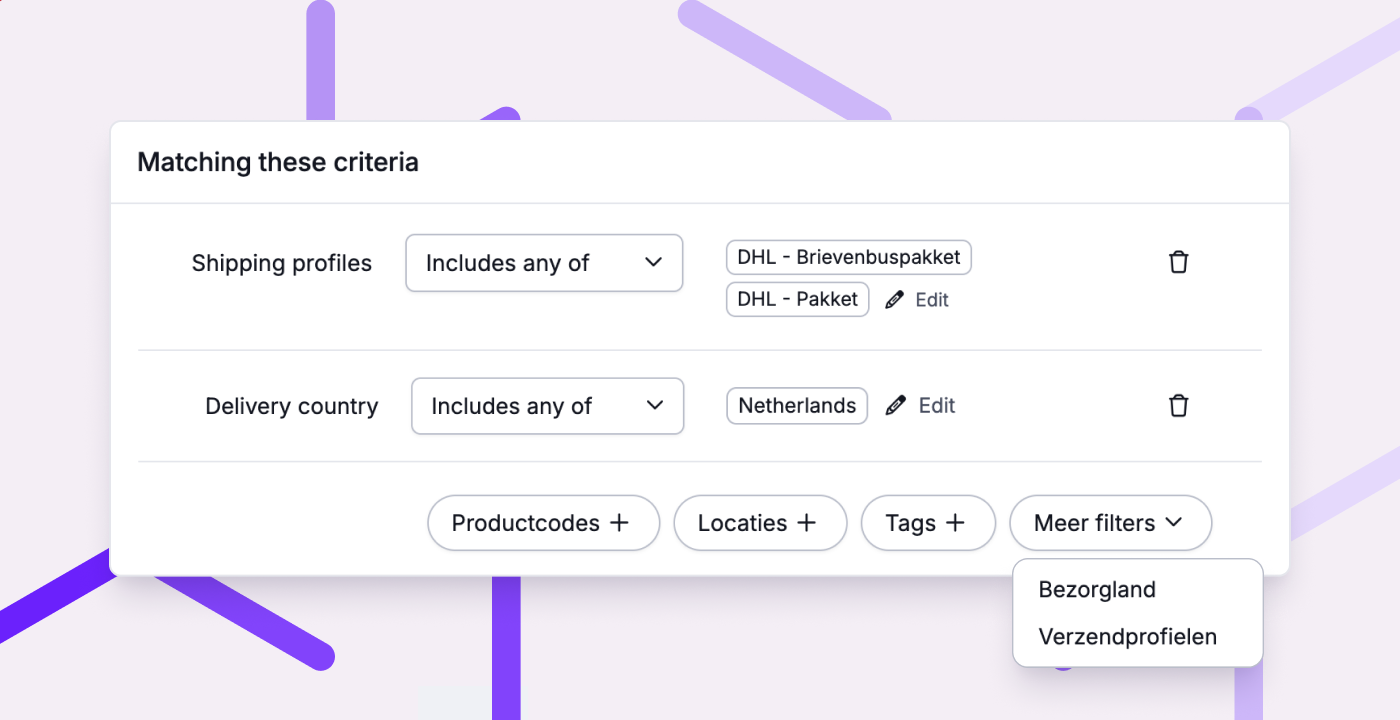
The more varied your orders, the more control you want over which picklists end up in a batch. That's why you now put your batches together more precisely, with new filters, like delivery country and shipping profile, and new options per filter. That means you no longer need to set up your own rules and tags to get to the same selection.
A few of the new possibilities:
- Filter by delivery country, handy for prioritising domestic orders so you meet your delivery promise: order today, delivered tomorrow.
- Filter by shipping profile, handy for meeting a carrier's cut-off time.
- Exclude products or locations, handy for handling unusual items or bulk locations separately.
- Exclude tags, handy for keeping picklists with, say, gift wrapping out of the batch.
Other improvements
- Updates about Picqer, like this changelog, now live under Help & feedback in the sidebar.
- The container page now shows the products you recently moved out of it, at the bottom, so a quick mistake is easy to undo.
- Linking a location from the product page is now easier.
- In the fulfilment portal, the 'Stock at a specific moment' report now also shows cost price, price, and type. That lets your fulfilment customers work out their stock and sales value themselves, without extra exports.
- The order export now also includes the preferred delivery date.
- On manual shipping labels, the sender address now sits on one line and the sender country is shown, as carriers recommend.
Fixed
- Shipments to Madeira, the Azores, the Canary Islands, and Ireland now include the required customs information, so they're created correctly.
- Bundle products from Shopware 6 are now ignored, so you only ship the individual components.
- Emojis in (customer) remarks no longer cut off your text. The emoji itself is dropped, but the rest stays intact.
