
Online Inventory Management
When you have a few products in your assortment and a couple of orders a day, inventory management is easy. But when you receive more then 25 orders a day, you really need a smart system to manage your inventory. Picqer is that smart system that gives you control over your inventory.
Realtime inventory levels
What is worse then a product that is out-of-stock? An out-of-stock product, while you told your customer you got plenty...
Picqer eliminates that for you. Your inventory is automatically tracked with every shipment and every purchase. Picqer syncs stock levels realtime with all your connected sales channels and stores a detailed history of every stock change.
Real stock, and available stock
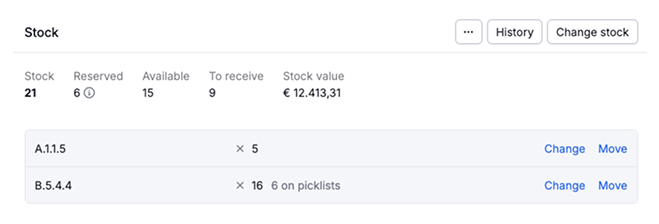
Ecommerce platforms only track your 'free stock', that is how many products are available for sales. But Picqer knows a lot more about your inventory. That is why Picqer can show you exactly how many products are in your warehouse right now, how many products are reserved for which customers, and how many products are available for sales. We also keep track of incoming inventory that is almost ready for sale.
This gives you more insights about your current inventory and makes it easier to make decisions.
Every stock-change recorded
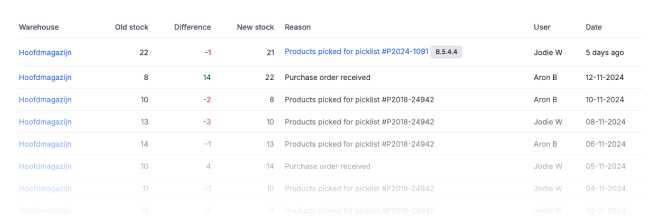
Another advantage of precision inventory management, is that every stock change is recorded and saved forever. Every product starts with a stock of 0. And from that starting point Picqer registers every single stock change, including which user made the change, and why. That makes it a lot easier to resolve anomalies later on.
Count your stock, all year round
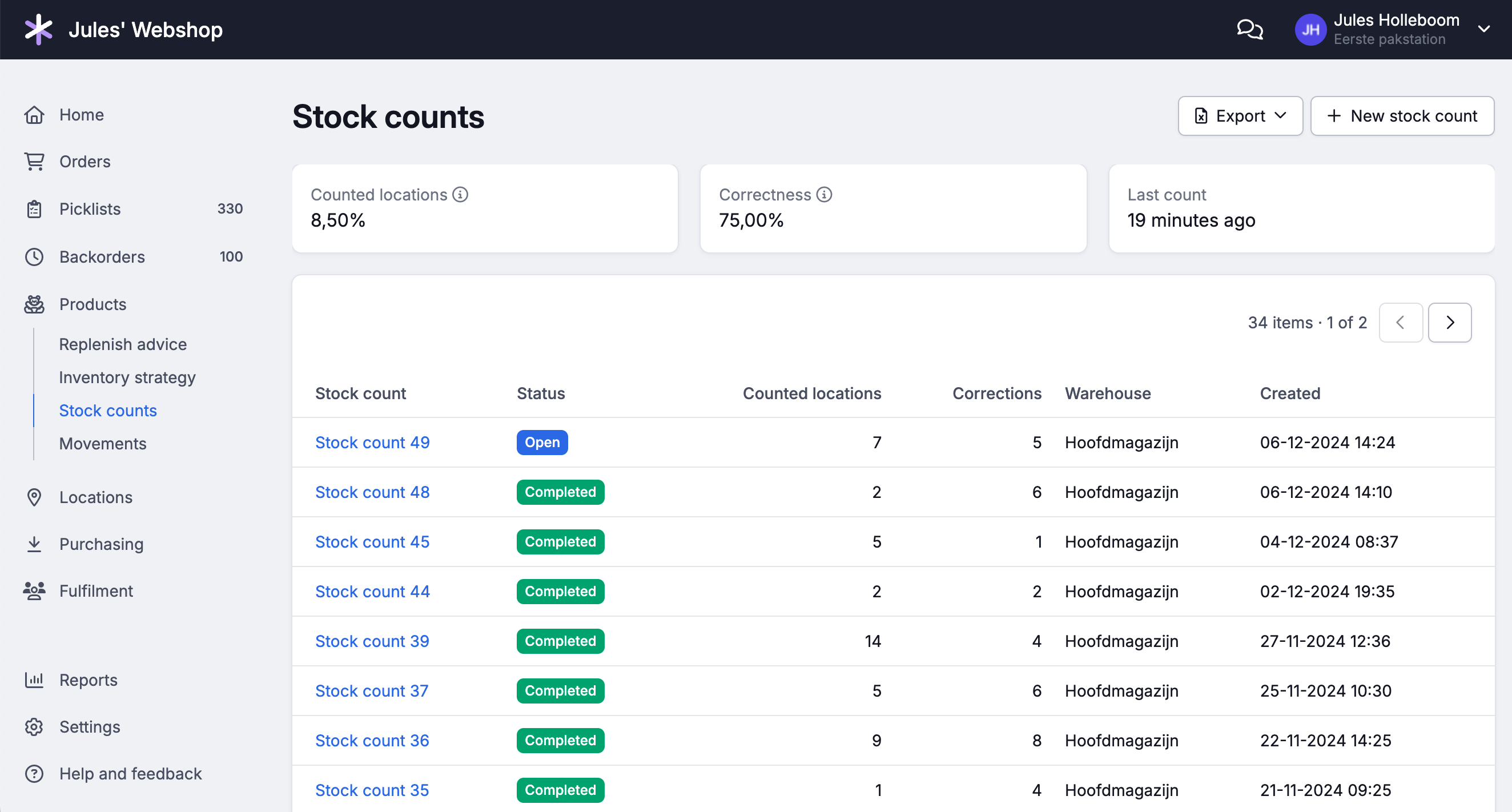
No matter how well you track your inventory, reality sometimes differs. Products get misplaced, damaged, or put back in the wrong spot. That's why with Picqer you don't count your entire warehouse once a year, but all year round in small counting rounds. This way you find errors before they turn into a disappointed customer.
You can count with the Picqer App or in the browser. Scan a location, count the products you see, and instantly know if your stock is correct. Differences are corrected right after confirmation. And you count where the risk is: count everything, a smart selection of locations where errors have the most impact, or only locations where the last count was off. All corrections can easily be exported for your bookkeeping.
Always available in the cloud
Picqer is Software as a Service. That means that you don't need to pay for Picqer upfront, you don't need to install and manage it and there is also no need for backups. We will take care of everything. You just pay a fixed monthly fee, and you get access to the latest version of Picqer, no matter where you are. Guaranteed worry-free.
Sync your stock levels to anywhere
Once you are using Picqer, you now have a centralised location that exactly knows which products are in stock. That makes it really easy to expose that information to other systems. Of course we sync this information with all your connected e-commerce platforms and market places, but you can also get realtime push-notifications from our API integrate realtime stock levels in every system you have.
Multiple warehouses
Do you operate in multiple warehouses? You can manage them all from within 1 Picqer account. Picqer manages the inventory of every warehouse separately and divides new orders in a smart way over your warehouses with Picqer AutoSplit.
Backorders
Can your customers buy products that are not in stock yet? Picqer keeps track of these backorders for you. Once new inventory arrives, Picqer will automatically lets you know which orders need to be shipped.
Track warehouse chores with Tasks
Besides picking orders and receiving purchase orders, there is always other work to do in a warehouse. Think of sweeping aisles, restocking packing tables or counting stock. With Tasks you track and delegate this work right in Picqer, so nothing gets forgotten. Tasks are always visible to everyone on your team.
Give a task a deadline, or assign it to a colleague, who will see a notification when opening Picqer. For recurring work, like restocking packing tables daily or counting stock monthly, you create a recurring task. Picqer then automatically creates the task again based on the frequency you choose.
