
For a paperless warehouse
Picqer App
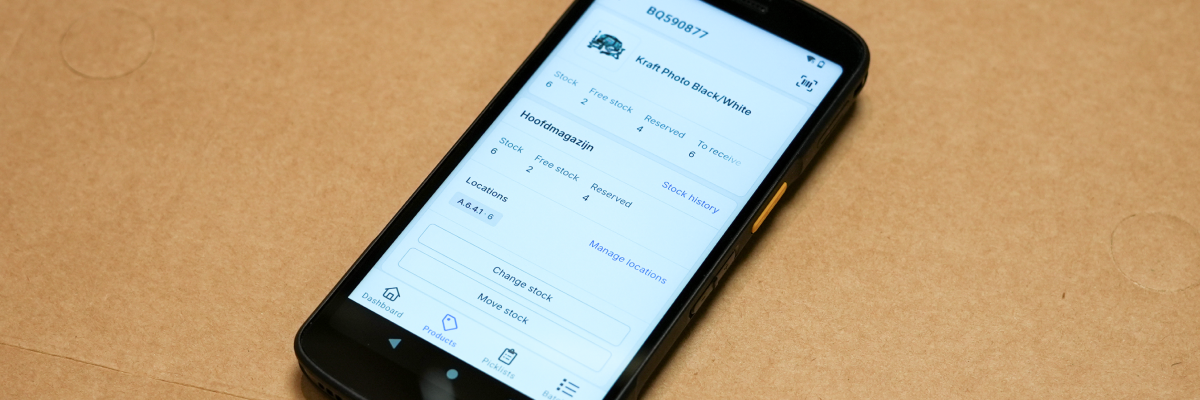
With the mobile Picqer app, you can work in real-time and paperless in your warehouse. Unlike traditional WMS software, the Picqer app is incredibly easy to use. Hand new employees a mobile scanner, and they can start picking orders right away.
All operational actions
Between the aisles
The app is designed for everything you do between the aisles of your warehouse. Equip everyone working in the warehouse with a scanner and the app, enabling them to work independently in the warehouse.
With the app, you can:
- Collect and ship individual picklists
- Collect normal and singles batches
- Receive purchase orders
- Search for products
- Edit or move stock
- Replenish pick locations from bulk locations
- Count stock
- View and complete tasks
- Place and read comments
Built for the warehouse
Mobile handheld scanners
You can install the app on your Android or iOS phone, but the app is truly powerful when combined with a handheld scanner, such as our favorite, the Zebra TC22. This modern Android device has a built-in barcode scanner, enabling you to pick your orders quickly and accurately.
And because these devices are built for warehouse use, they are also highly durable.
Flexibility
Benefits of real-time
Using the mobile app eliminates the need to print anything other than the shipping label, saving you a lot of paper. But we especially recommend using the app because it enables real-time workflows.
For example: when you create a new pick batch directly in the app just before you start walking, you always have the perfect batch contents. Picqer ensures that picklists marked as urgent by customer service are immediately included in the next batch. Preparing and printing batches makes you less flexible.
Another example: by booking stock movements directly as they happen, no one will walk to a location where the product is no longer available. If you keep track of movements on paper and process them later, there’s always a time gap between the movement and when the system updates.
Counting stock
Perfect stock
With the app, you can easily count your stock: scan a location, count the products you see, and differences are corrected right after confirmation. By counting for a short time every week whenever you have some downtime, you count your entire warehouse throughout the year and find errors before they turn into a disappointed customer. And you count where the risk is: everything, a smart selection, or only locations with stock errors.
More about inventory management
Collaborate with your team
Tasks and comments
Your tasks come along into the warehouse too. In the app you see which tasks are open, like sweeping aisles or restocking packing tables, and complete them as soon as they are done. That way everyone between the aisles knows what still needs to be done.
You can also communicate right in the app. Place and read comments on picklists and purchase orders, so internal communication stays with the right order instead of on a sticky note. With an @mention you bring a comment to the attention of a specific colleague.
For everyone
Android and iOS
The Picqer app is available for Android and iOS. Download the Picqer app and start using it right away.
