Changelog
Multiple suppliers per product, languages per template and more
Black Friday is just around the corner, the busiest week of the year. This is exactly when you need to be able to rely on Picqer. That's why we're making the parts under the heaviest load faster, and keeping an extra close eye on performance.
New this month: multiple suppliers per product, and languages per template, so you can also communicate with customers and suppliers in German and French. Here's what's new.
Multiple suppliers per product
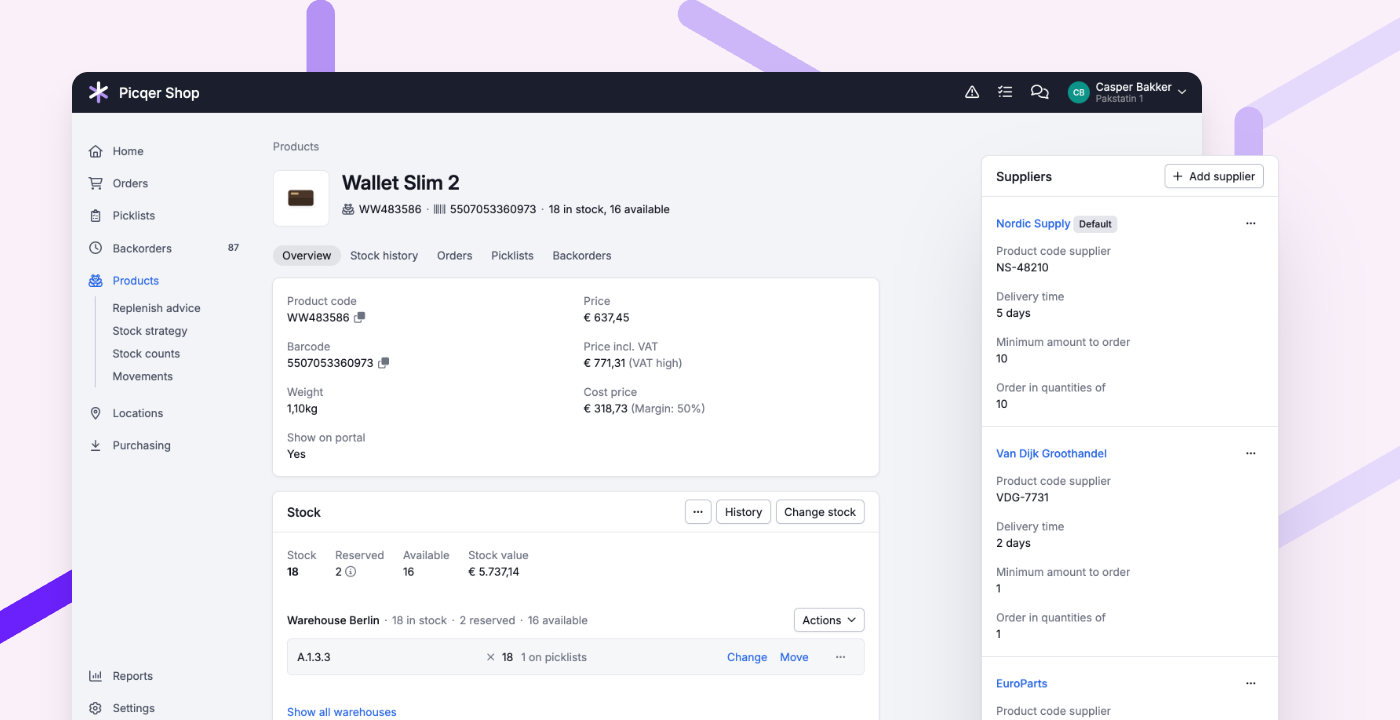
You can now link multiple suppliers to a product, each with its own product code, lead time and order quantities. So you can buy wherever it works best at that moment.
- On the product page you see all suppliers. One of them is the default supplier.
- The purchase advice of a supplier also shows products for which it isn't the default supplier. They're listed separately and aren't selected.
- The purchase order gets the product code of the supplier you're ordering from. When receiving, picking and searching, Picqer recognises the codes of all suppliers.
- With the import and export you update the suppliers of all your products in one go.
Using Picqer Fulfilment? Then a product has a maximum of one supplier.
Languages per template
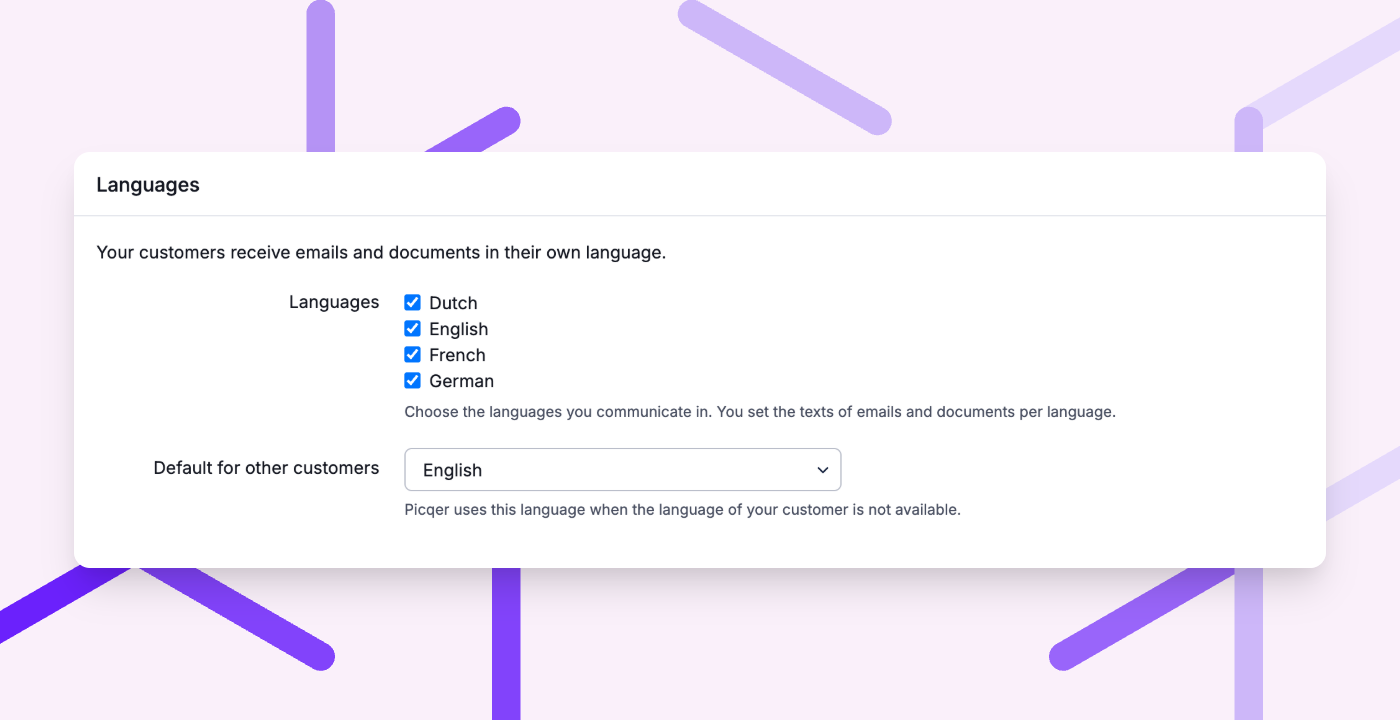
You now choose per template which languages you use to communicate with customers and suppliers: Dutch, English, German and French. So they get emails, documents and the status page in their own language.
- Texts per language. Default texts are ready for German and French.
- The right language, automatically. Picqer uses the language of the order or customer, and otherwise the default language of the template. Orders from Germany and Austria get German, orders from France get French.
- On the order you see which language is used.
Existing templates stay Dutch and English until you add a language yourself.
Other improvements
- Do you create shipping labels automatically after picking? You can now also choose no countdown and create the label immediately, or a longer countdown of 5 seconds. Creating it immediately is handy if the preselected shipping profile is always right: then you no longer have to wait.
- In a batch preset, you can now also filter on picklists that contain one of the given product codes. For example, to put all picklists with an accessory in one batch.
- In a singles batch, you can now also view the picklists of products that have already been processed. Handy if something goes wrong with a label after processing.
- With rules, you can now recognise orders without a phone number. You can also check delivery address line 2, for example whether the house number is missing.
- Shopify orders now get the phone number your customer enters with the delivery address.
- The Storage usage card and the report below it now count the same stock: the stock on locations. This also applies in the fulfilment portal.
- When you export the purchase advice, you now only get the selected products, including the supplier's product code.
- In the Warehouse sales report, you now also see sales per order line, with country, price and customs data. Handy for your Intrastat or customs declaration.
- You can now use Picqer in German, for your whole company or per user. Your fulfilment customers can also use the fulfilment portal in German.
- On the status page, your customers now see which products or orders have been cancelled.
- In the customs data of a product, you can now enter an MID code. You need it for shipments to the United States. Picqer sends it along to Sendcloud and external carriers.
Fixed
- Insured PostNL shipments with multiple parcels and shipments to a Belgian parcel locker are created again.
- Cancel an order in Lightspeed, Shopify or WooCommerce? The stock of virtual bundle products in your webshop is correct again right away.
- The stock graph on the product page starts at the correct stock level again.