Fulfilment portal for customers
Does your fulfilment company use Picqer? Then you log into your own fulfilment portal. There you view your stock, orders, purchasing, and returns, and handle part of that yourself directly.
Your fulfilment company creates an account for you and sends you a username, password, and the web address where you log in.
Dashboard
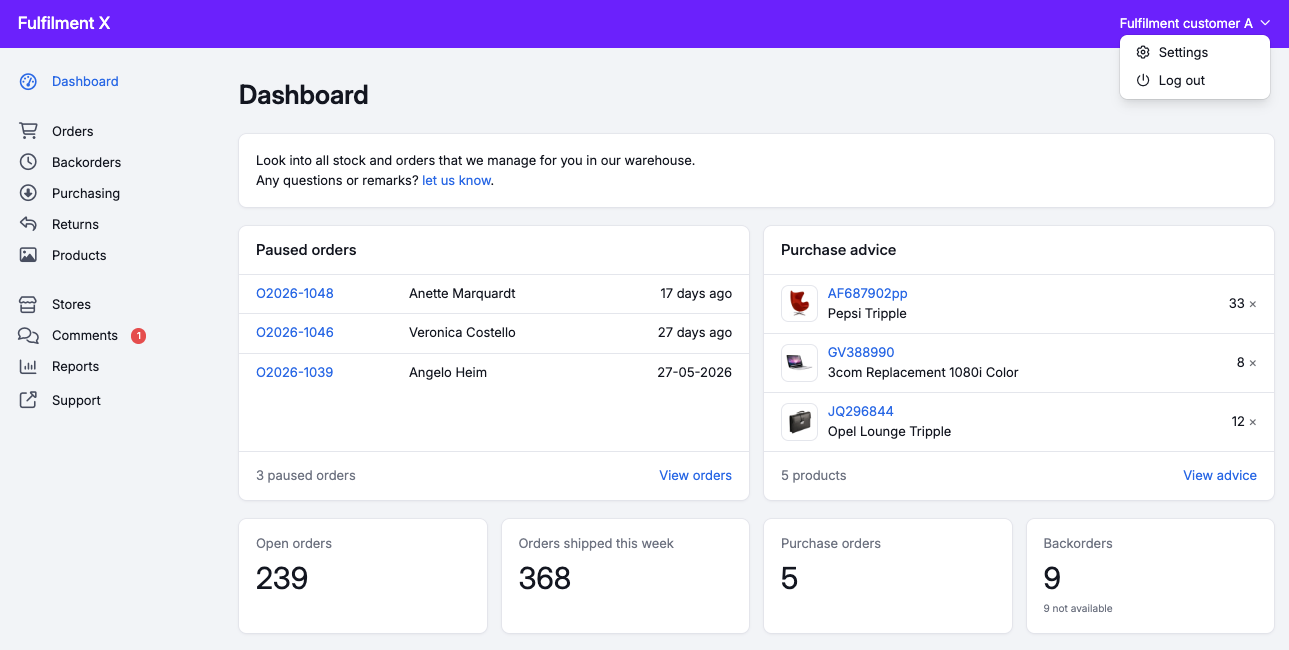
After logging in, you land on the dashboard, with the most important figures in one overview. You'll also see paused orders here and, when relevant, a purchase advice. Click your name in the top right corner to change your login details, language, and notifications.
Orders
Under Orders you see all your orders, no matter how they came in. Each order shows its picklist(s) and shipment(s). Under Backorders you find the products that aren't on a picklist yet.
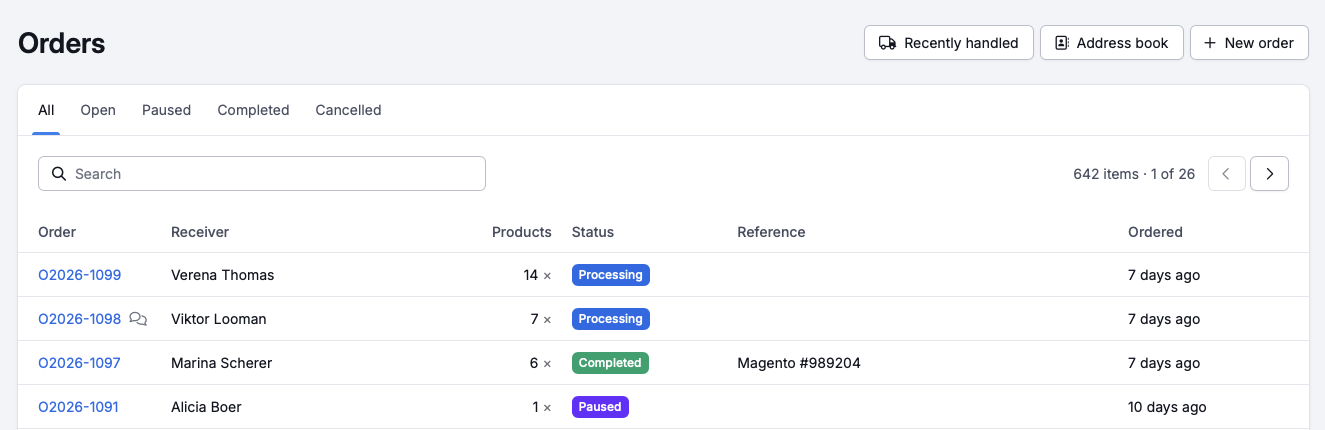
You can make these changes:
- pause the order and resume it again
- change the delivery address and your contact details
- add products to an order that is being processed or paused. This works as long as the products fit on a paused or untouched picklist, or can sit as a backorder. Once your order is being collected, 'Add products' is greyed out and you ask your fulfilment company to add them for you.
A picklist is untouched as long as your fulfilment company has not started working on it. That ends once the picklist is assigned to someone, is part of a batch, is linked to a picking container, or has had something picked from it. If the picklist is paused, you can still add products, even when something has already been picked.
Cancelling is possible as long as the picklist is untouched: individual products that still have an open amount, or the whole order.
You can also create a new order yourself, filling in the lines by hand or with 'Import products from Excel'. On top of that you can duplicate an existing order and manage your own address book.
Partial deliveries
If your fulfilment company has enabled partial deliveries, you can create a picklist for the part of your order that's already in stock, without waiting for the rest to become available.
Purchasing
Under Purchasing you create new purchase orders, so your fulfilment company knows which deliveries to expect. As long as a purchase order hasn't received anything yet, you can change the products and quantities, or cancel or close the order.
Purchase advice
The purchase advice helps you decide what to order. You set a purchase strategy per product, which determines when Picqer gives a purchase advice for it:
- Only order for backorders: you only get advice once customers are waiting for the product. If there are 3 open backorders, Picqer advises exactly 3 units.
- Keep in stock: you set a reorder point and a quantity to replenish up to. Once the stock drops below the reorder point, Picqer advises enough to bring the stock back up to that level.
Picqer also takes your supplier's requirements into account. If a minimum order quantity is set, the advice uses that as a lower limit. If your supplier only delivers in fixed quantities, for example per box of 6, Picqer always rounds the advice up to the nearest multiple.
You set the purchase strategy per product. Go to the product from the products page, or open the product's row in the purchase advice and click 'edit strategy'.
Returns
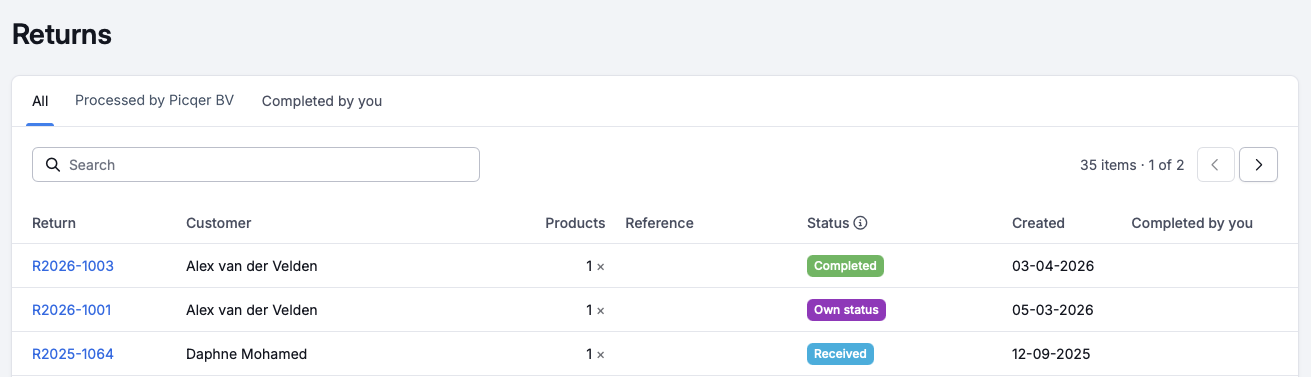
All returns appear in the portal, with the returned and any replacement products and their status. Once your fulfilment company gives a return a final status, you'll find it under the 'Processed' tab. If a return no longer needs any action from you, for example because the refund has already been arranged, you can mark it as 'Completed' yourself.
Products
You see all your products, with the current stock, stock value, and stock history. If your fulfilment company shows stock by warehouse, you'll see that here too.
Does your fulfilment company track a lot number or expiration date for a product? Then the product page also shows 'Stock per lot'. Your picklists also show which lot was picked, and the receipts on your purchase orders show which lot came in.
If you have access to product management, you can add and edit products yourself, for example the name, description, barcode, weight, dimensions, price, customs information, and purchase strategy. You can also activate, deactivate, or delete a product.
Stores
Under Stores you see all your connected stores, with the connection status, settings, and recently received orders. You can connect a new store yourself; your fulfilment company then configures it and activates the connection.
Depending on your fulfilment company's settings, you can sync yourself via the 'Actions' button: import new products, import new orders, and send the stock level to your store.
Comments
You use comments to communicate with your fulfilment company, for example on an order, product, return, or purchase order. You'll find placed comments in the portal's comments overview; unread comments have a blue background there, which disappears once you visit the page or click 'Mark as read'.
Want your fulfilment company to see a comment straight away? Type @ and pick your fulfilment company's name, and their contact person gets notified. If the name doesn't appear, your fulfilment company hasn't set up a contact person yet.
When your fulfilment company mentions you in a comment, you can get an email notification. You manage this in your account settings.
Reports
The portal includes reports on your fulfilment activity and your stock at a specific point in the past. You'll also see which products sell best, have never sold or are returned most often, and which stock has expired or is about to expire. You can export each report to Excel.
Do you have a question about your stock, orders, or the portal itself? Contact your fulfilment company. They know your situation and can help you further.