Changelog
Easier communication and more
Peak season is just around the corner, so we've made two things easier. In comments, you can now get your message across with an emoji or a photo, no typing needed. And managing users and their rights takes a lot less effort, even with new colleagues joining. Here's what's new.
Communicate more easily in comments
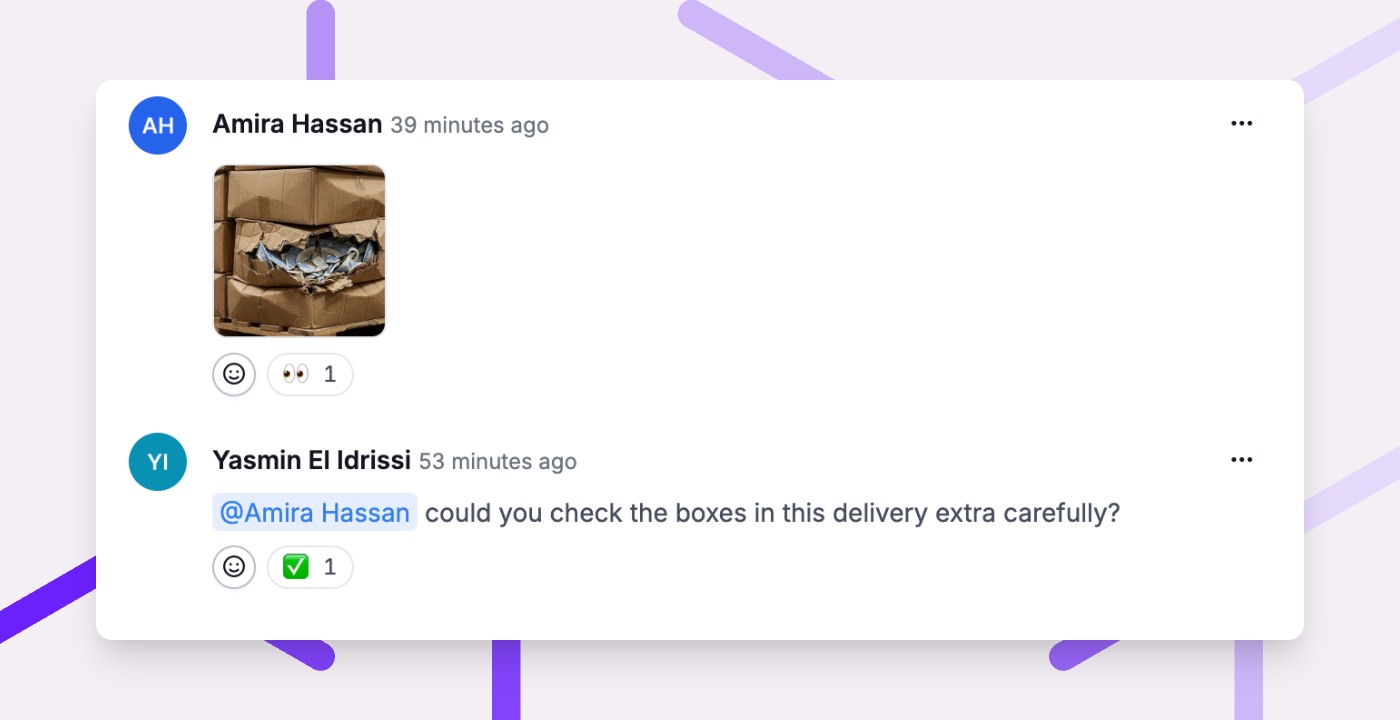
Comments are how you keep in touch with colleagues and fulfilment customers. Often all you want to say is that you've seen something or you're on it. Or you'd rather show what a damaged box looks like than describe it. Now you can do both without typing, which is handy when you're at the packing station with your hands full.
- React with an emoji. Show with one click that you've seen a comment, you're on it or it's done. Your fulfilment customers see your reaction too.
- Add photos. Attach up to 5 photos to a comment, with or without text. Show a colleague or fulfilment customer straight away what you mean, without switching to WhatsApp or email.
- Everything under 'For you'. Mentions, reactions to your comments and anything else that needs your attention are one click away under 'For you', in the app too. The 'Unread' filter shows you straight away what you've missed.
- Email notifications. Not in Picqer all day? You can now get your notifications by email as well.
- Mention your company. Fulfilment customers can now mention your company in their portal. Just choose a contact person in your fulfilment portal settings.
Manage users and rights more easily
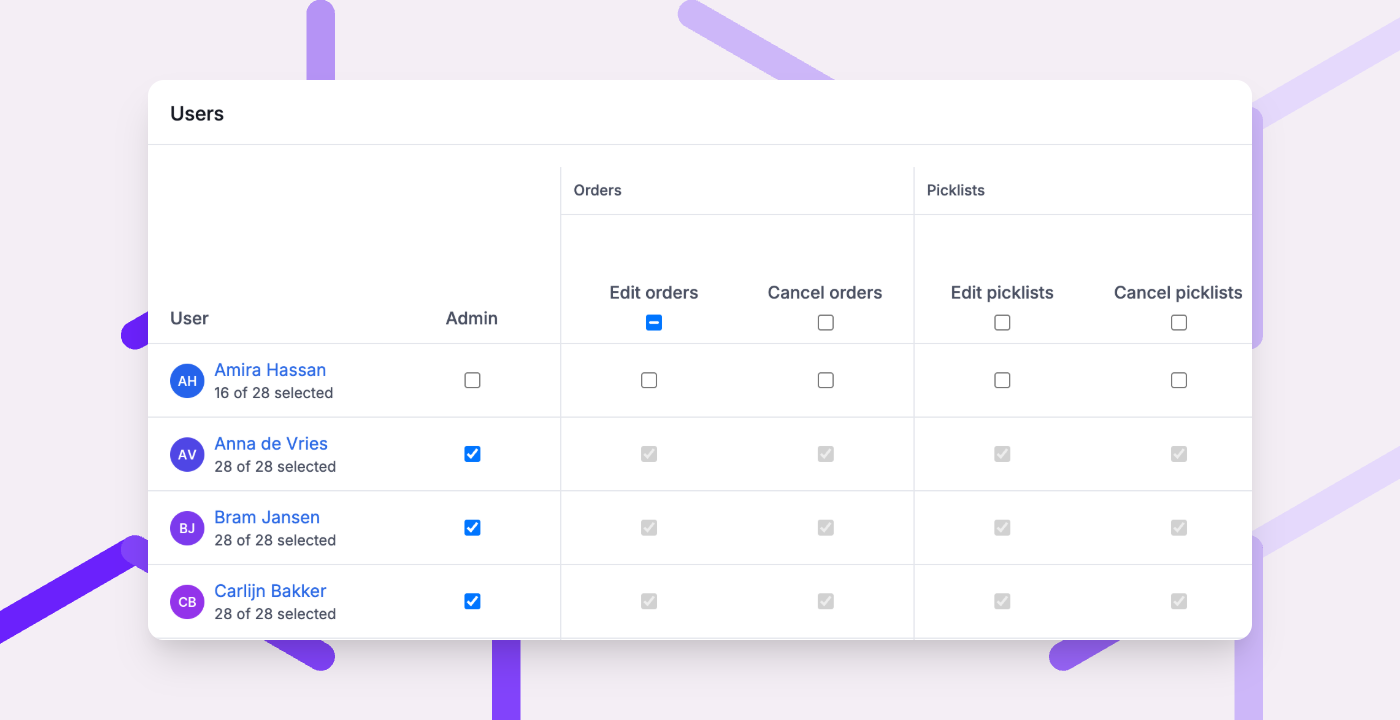
New colleagues starting, or want to check who has access to what? Setting up a new user with exactly the rights they need now takes just a few clicks. And one overview shows you who can do what, so you can change it on the spot.
- Copy a user. Click 'Copy' on an existing user to create a new one with the same rights and settings. All you need to add is a name and login details.
- Select or clear all rights. Turn all of a user's rights on or off in one click, then tick only what they need.
- Edit rights for everyone at once. The rights overview shows who has each right and lets you change it for several users in one go. It's also a quick way to check who can do what.
Other improvements
- Need to ship part of an order separately? Splitting a picklist is now easy: just move those products to a new picklist. Learn how it works
- Picqer now also recognises the product in GS1 barcodes that contain extra details, such as a lot or expiration date. And in the app, you can now scan DataMatrix and QR codes too.
- Fulfilment customers can now work with concept orders in their portal. They can save an order as a concept, change the products, allocate stock and process it when it's ready.
- Your fulfilment customers can now see in their portal which lots and expiration dates came in with a receipt.
- Batch presets can now use the same condition more than once. For example, create a batch of picklists that have products on both a shelf and a pallet.
- Free products now get a customs value of €1 each, so they no longer stop you from creating an international shipment. The prices on the order stay the same. Learn more about international shipments
- Shipping to the United States with PostNL? You can now add the Zonos details PostNL requires to your shipping profile.
- You can now turn on PostNL's delivery code at the door per shipping profile.
Fixed
- With automatic shipment creation turned on, pressing Enter straight away no longer creates a duplicate shipment.
- The product page shows the correct number of delivered items per lot again, including for picklists processed without a batch.
- The 'Shipments per profile and country' and 'Location type usage' reports are no longer empty when you don't select a fulfilment customer.