
Picqer joins Katapull
We’ve been building Picqer for 14 years. Going forward, we’ll be doing that as part of Katapull. For you, nothing changes. The software, your subscription and our support stay the same.
About Katapull
Katapull is a group of Dutch software companies that, like us, help e-commerce businesses with their day-to-day work. Each company does one thing really well. Returnista focuses on returns, DeliveryMatch on shipping, EffectConnect on marketplaces. And Picqer focuses on the warehouse.
At Katapull, we’ll be working with colleagues who are just as passionate as we are. We’re looking forward to growing Picqer further together.
Picqer stays Picqer
We’re keeping our own product, team and name. Picqer remains an open platform: you decide which online stores, carriers and tools you work with. We’ll keep listening to your ideas, your feedback and the occasional critical question. And we’ll keep building the most user-friendly warehouse software, so anyone can run a professional warehouse.
Changelog
Stay on top of expiration dates, add products to orders, and more
Earlier this month, we launched traceability, which lets you track expiration dates and lot numbers. We’re now building on that to help you ship stock before it expires and quickly find the information you need during a recall. You can also easily add products to an order. Here’s what’s changed.
Stay on top of expiration dates and lot numbers
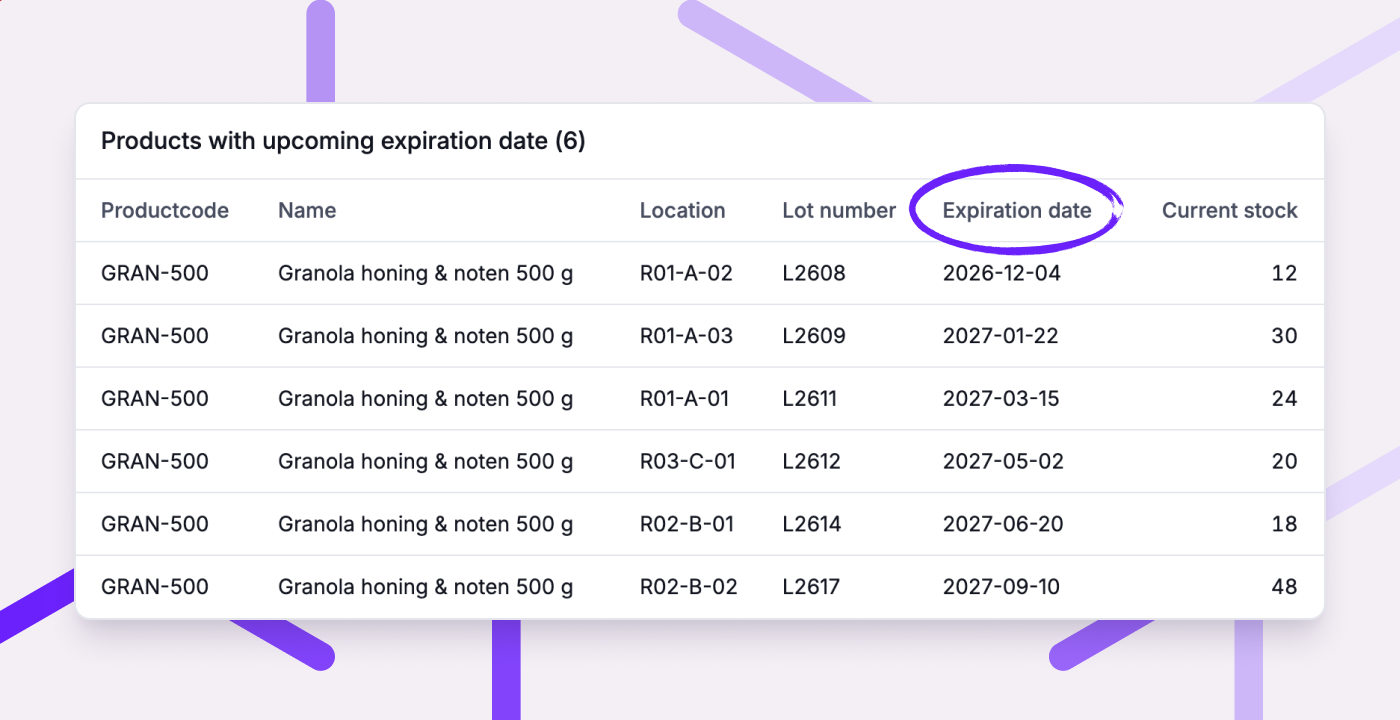
If you have several lots of the same product in stock, you want to ship those with the earliest expiration dates before they expire. And if a supplier recalls a lot, you need to find out quickly where it went. Picqer now helps you with both.
Expiration dates now help determine where to pick. When creating a picklist, Picqer now selects the location with the earliest expiration date. This is called FEFO: first expiry, first out. This means you ship the lot with the earliest expiration date first.
Spot stock that's about to expire. The new 'Products with upcoming expiration date' report lists stock that will expire soon or has already expired. This gives you time to sell it before it expires, or remove expired stock from your warehouse. Your fulfilment customers can view the report in their portal too.
Quickly find out which customers received a lot. During a recall, you no longer need to check individual picklists. From the product page, you can see which customers received a lot and where you still have stock from it. That tells you who to contact and which stock to remove.
Learn more about traceability and FEFO in our guide to lot numbers and expiration dates.
Add products to an order
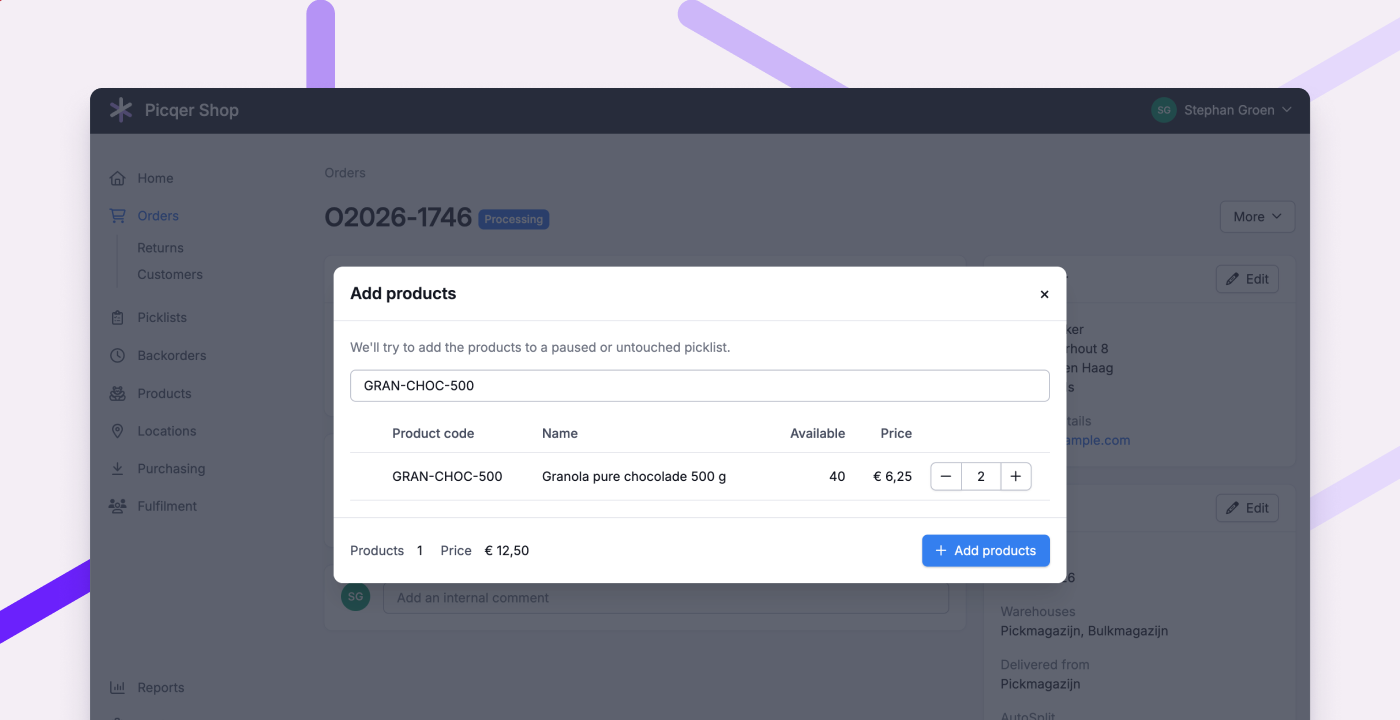
You can now easily add products to an order. Did a customer call or email with a last-minute addition, or want a different product? Add it straight from the order page, without resetting the order to concept.
- If picking hasn't started, the products are added to the open picklist.
- Already started picking? Pause the picklist first, otherwise Picqer creates a new one.
- Out-of-stock products go on backorder.
- Your fulfilment customers can do this themselves in the portal, as long as picking hasn't started.
Other improvements
- When a customer chooses pickup in Shopify, Picqer now marks the order as 'ready for pickup' when you close the picklist. Learn more about pickup orders
- Picqer now separates Dutch addresses into street name, house number and suffix before sending them to PostNL. This ensures that even tricky addresses, such as '2e Dorpsstraat 13b', appear correctly on shipping labels.
- Your fulfilment customers can now edit product descriptions themselves in the portal. They can also see which orders have been partially processed.
- You can now filter movement advice by fulfilment customer.
- If you sell virtual compositions from multiple warehouses, your stock levels are now more accurate. Picqer counts the components across all warehouses.
- You can now show the components of virtual compositions on packinglists, including product fields and lot details. This helps your customers check the contents of a set.
- Order pages load faster, especially for orders with lots of picklists or comments.
- You can now use customer remarks as a condition in order and picklist rules.
- The return history now shows who created the return, and the 'Returns processed' report shows who completed it.
Fixed
- Shopify orders with no billing name now import correctly, using the delivery name instead.
- Picklists and their PDFs now show the correct component quantities for virtual compositions, including nested compositions.
- Products on closed picklists no longer appear as 'to pick' in a batch.
- You can once again link locations in the app for products that have many locations.
- The correct free stock is now shown when moving stock to another warehouse.
- You can once again reverse the production of compositions with their own stock by entering a negative quantity.
- Products with unlimited stock are back in the 'Warehouse sales' report.
- Safari's password suggestions no longer cause the shipping profile menu to close.
Changelog
Traceability and more
Last week we saw many of you at the Meet & Grill. We presented three new features there: traceability, an MCP server and a CSS assistant. All three are now live. In this changelog you can read all about them, and what else has been improved and fixed.
Traceability
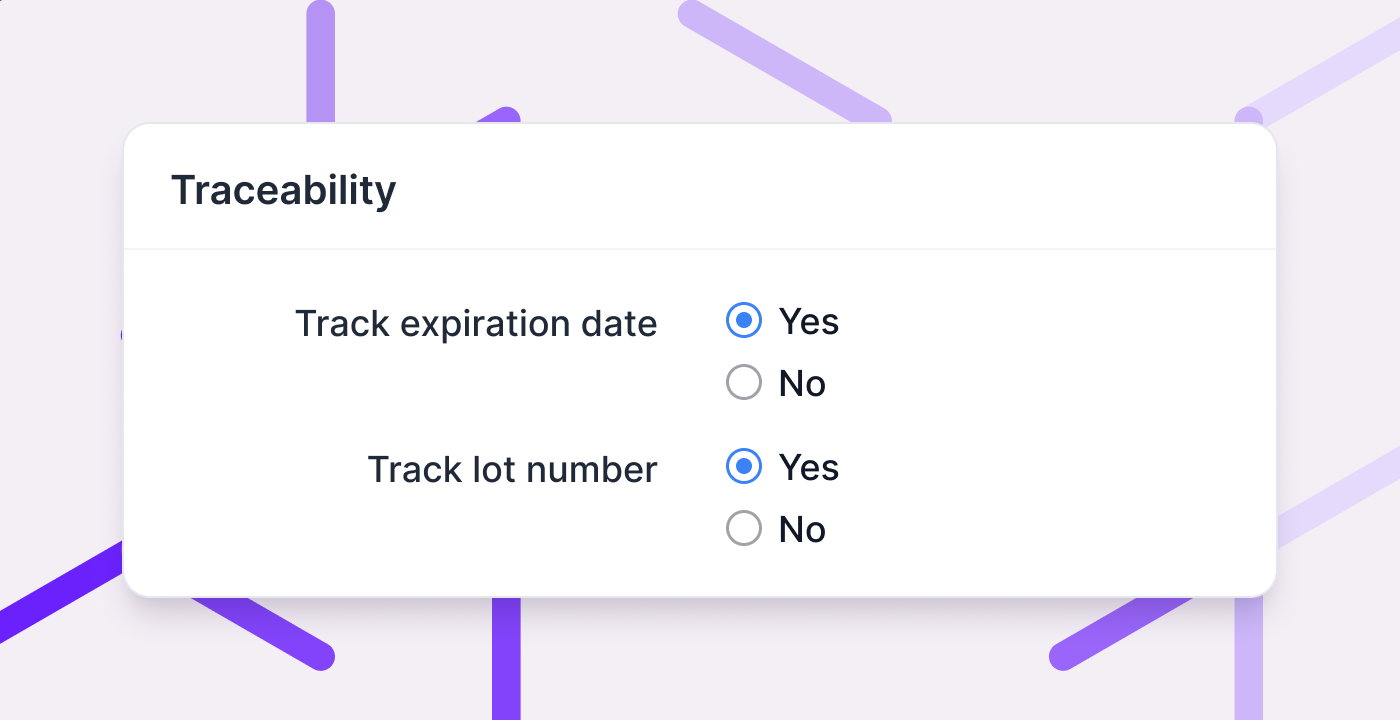
Do you sell products with an expiration date or a lot number? Then you need to know which lot is where, and which customer received it. With traceability you keep track of that in Picqer.
Switch it on in Settings and choose per product what you record: an expiration date, a lot number, or both. You enter the details once, when you receive the goods. After that they follow the stock by themselves, through moves and picks, onto the picklist and the packinglist.
Picqer keeps that record long after the stock has left your warehouse. So when a supplier recalls a batch, you can look up who received it.
Read the guide to lot numbers and expiration dates, or get started right away with setting up traceability.
The next step is FEFO: first expiry, first out. Picqer will then send you to the location with the earliest expiration date, so older stock does not get left behind.
MCP server: connecting Picqer to an AI assistant
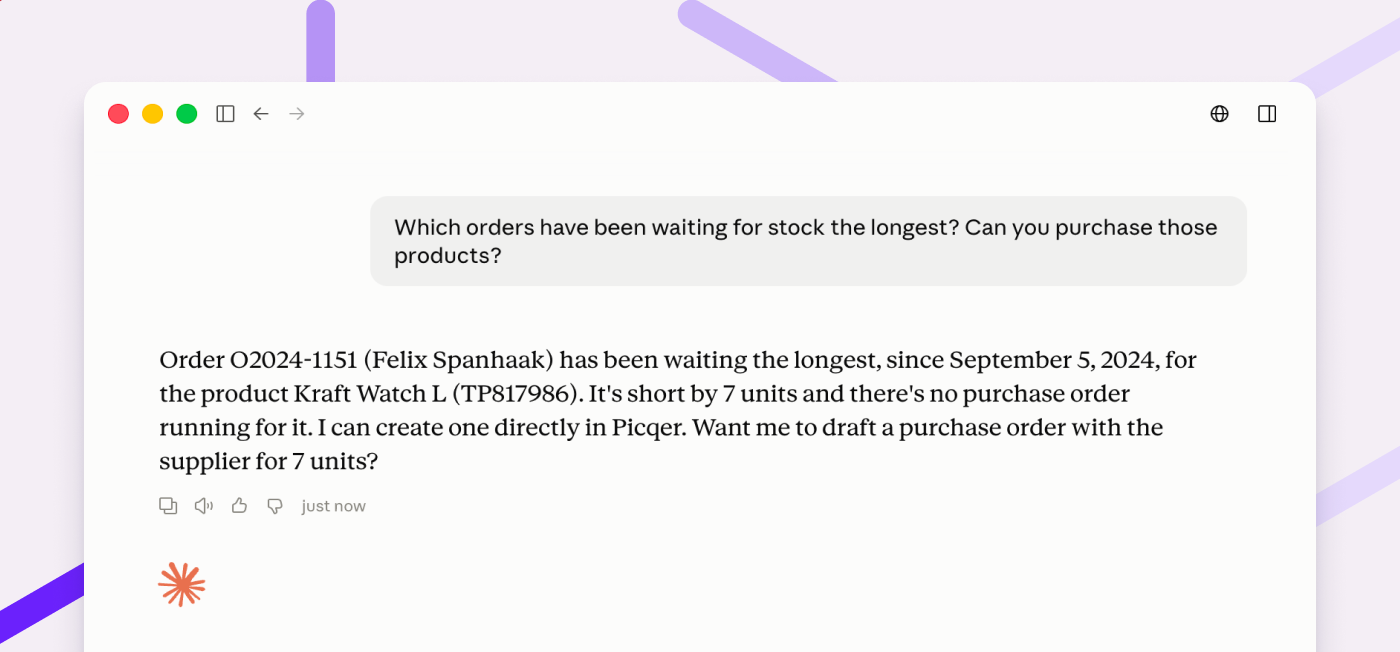
You can now connect Picqer to an AI assistant, such as Claude or ChatGPT. Ask a question or give an instruction in plain language, and the assistant carries it out in Picqer. Useful for the kind of work that would otherwise take you through several screens.
You decide what the assistant may do: read only, or take action as well. Personal data can stay out of it entirely. And processing orders, closing picklists or creating shipments is something an assistant can never do.
The MCP server is still in beta. We would love to hear how you get on with it.
A CSS assistant for your templates
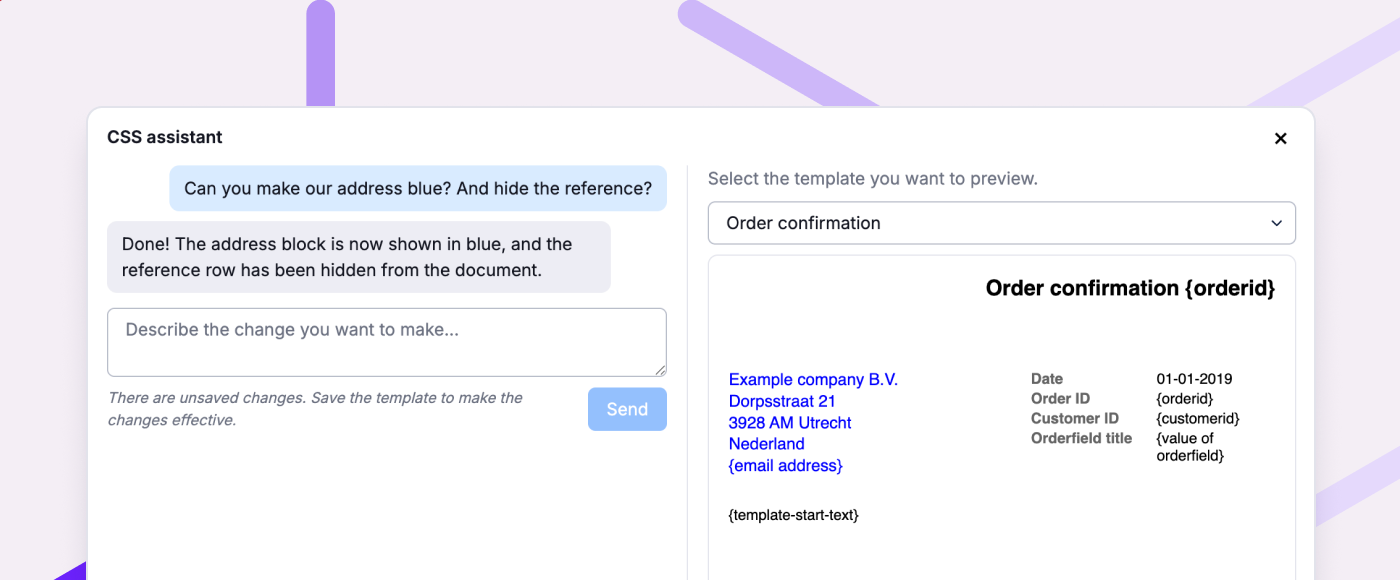
Your templates for picklists, packinglists and invoices are styled with CSS. You no longer have to write it yourself. Tell the CSS assistant in plain language what you want to change, a bigger logo say, or the header in your brand colour. The preview next to it shows the result straight away.
You will find the assistant under the 'Custom CSS' field with your templates.
Other improvements
- Several settings now have their own rights. That way you can delegate management without making someone an admin.
- Sendcloud pickup points now also come in from Shopify Advanced, next to Shopify Plus.
- On a return you add all products from the order as replacement products in one click. You can also prioritise backorders for replacement products.
- You now copy product codes and barcodes in one click from the product page and the product popup.
- In your rules for orders you can now also use product dimensions as a condition.
- When a fulfilment customer cancels an order, you now clearly see that in the order log.
Fixed
- New tags are available in filters straight away. You no longer have to wait up to an hour.
- Orders from the portal use the right warehouses again.
Event
Join us for the Meet & Grill on September 2
In just under a month, it's happening again: the annual Picqer Meet & Grill! A relaxed afternoon to catch up and share a meal together. Because who are the people behind the software you use every day? Which other e-commerce entrepreneurs use Picqer? And how's the company doing? At the Meet & Grill, it all comes together.
We'll kick off the afternoon with a Picqer update (please note: will be in Dutch), and you'll be the first to hear what we've got in store. After that, it's time for drinks and good food, once again prepared by De Vuurplaats.
Sign up soon, it's completely free!
Location and time
The Meet & Grill takes place on Wednesday, September 2, 2026. You're welcome from 4:00 PM. We'll be hosted at the Oranjerie in De Bilt – the same location as last year. A beautiful spot on Landgoed Vollenhoven, right in the woods, centrally located in the Netherlands. Just follow the Picqer signs on the estate and you'll find us. Free parking is available at the location (no charging stations).
Oranjerie at Landgoed Vollenhoven
Utrechtseweg 65, 3732 HA De Bilt
| 4:00 – 4:30 PM | Welcome A drink and a snack will be waiting for you. |
|---|---|
| 4:30 – 5:30 PM | Picqer update (in Dutch) A look back at the past year, and we'll share what's coming up in Picqer next – at the Meet & Grill first. |
| 5:30 – 8:00 PM | BBQ + drinks Enjoy the food, meet fellow e-commerce entrepreneurs, and catch up with our team. |

Changelog
Move stock between warehouses step by step, and more
Over the past month we've revamped Movements, the way you move stock between warehouses. Where that used to happen in a single click, it's now a task you carry out step by step, on web and in the app. In this changelog, you can read everything that's changed.
Revamped: Movements
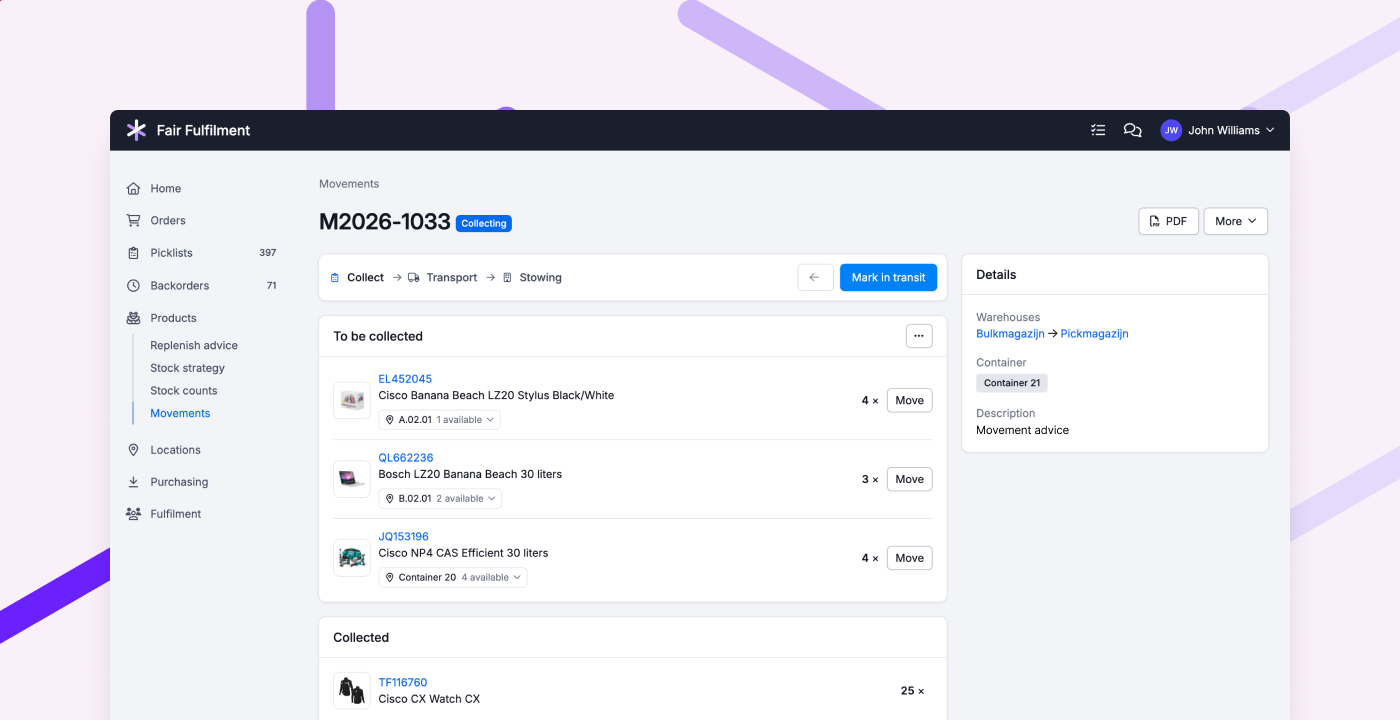
A movement in Picqer now follows the steps in the warehouse: you collect the products in a container, bring it to the other warehouse, and stow the products there. Each step has its own status, so everyone knows where the stock is and what still needs to happen.
Collecting and stowing happen in the app, sorted by picking route through your warehouse. For each product, Picqer suggests a location. You adjust it where needed, and the amount too. For example, if you'd rather take a whole pallet. At the end, you see exactly what was moved, between which locations, and where it differed from the plan.
We'd love to hear what you think of the new Movements. The old way is still available for now, but will disappear soon.
Other improvements
- When creating a batch, you can now also select multiple fulfilment customers, and filter by packaging advice.
- When counting stock, you can now add locations based on the products stored on them, filtered by fulfilment customer, supplier, or tag.
- When importing orders from WooCommerce, we now support more formats for the preferred delivery date.
- In the fulfilment portal, backorders are now grouped by order, just like in Picqer.
- When manually adding picklists to a batch, you now also see the batch title.
- When importing customers, you can now also update the delivery and billing address, including for existing customers.
Fixed
- When processing returns, you no longer have to choose a location for products with unlimited stock.
- Pickup points from QLS's new Shopify checkout are now imported correctly.
Looking for an older article? Browse the full blog archive with all articles.
