
Let Picqer do the work: automatic actions and snoozing
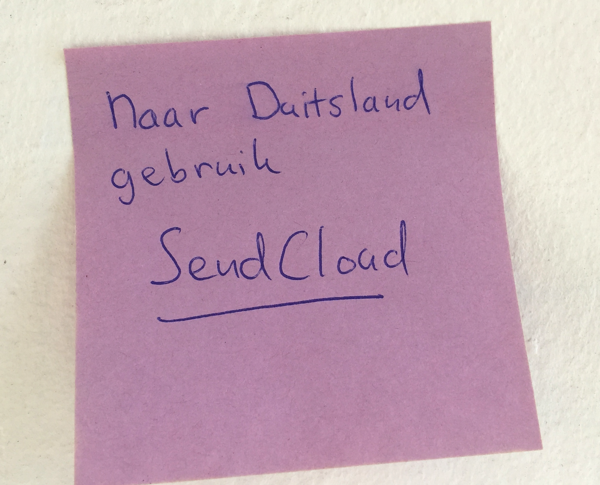 Everybody is familiar with Post-it's on the computer screen, like:
- send orders to Germany with shipping service X
- orders from webshop Y after 3 p.m. will be send the next day
- orders heavier then 15 kilos will be picked by John
Now all these Post-it's can be removed! You can let Picqer perform these actions automatically. We call this feature Rules and you can configure them yourself easily.
Welcome WooCommerce webshops!
WooCommerce is rapidly gaining popularity. Today, 29% of all webshops worldwide run on the free and open-source WooCommerce platform, surpassing even Magento as the biggest player. So it’s time to give all those WooCommerce stores a warm welcome to Picqer.
Because today we’re launching our WooCommerce integration, the third officially supported webshop integration in Picqer—joining our popular Magento and Lightspeed integrations.
Free and easy WooCommerce integration
You can easily set up the integration with your WooCommerce webshop yourself. We support all shops running WooCommerce version 2.1 or higher, with SSL. It only takes 2 minutes to configure.
Our Help Center has a step-by-step guide to setting up the WooCommerce integration. And if you need help, of course we’re here for you—as always.
The integration is now available to all Picqer users at no additional cost.
Welcome!
Faster picking
Processing picklists is the most-used feature in Picqer. Every second we save there adds up to a lot of time overall. And with this small update, we’re definitely saving time.
We’ve made 3 changes that will help most webshops save time when picking:
Create a shipment right after picking
As soon as you’ve picked all products in a picklist, the popup to create a shipment will appear automatically. This is especially helpful if you’re using a barcode scanner. (You can turn this off in the settings if you prefer not to use it.)
Auto-close picklist after shipment
In the new layout we introduced back in February, we also added the option to manually close a picklist. That’s helpful in some situations, but not necessary for every webshop. So now you can set picklists to close automatically once all products are picked and a shipment has been created. That saves you an extra click.
Easier shipment creation on touchscreens
To make the combination of barcode scanner + touchscreen even faster, we’ve updated the layout of the popups for creating shipments and invoices. There’s now more space, so you won’t hit the wrong button with your big fingers ;)
Picqer introduces AutoSplit
To make fulfilling orders from multiple warehouses easy and efficient, we’re introducing AutoSplit. With AutoSplit, orders are automatically split across warehouses when this leads to faster delivery.
As more webshops ship from multiple warehouses—and not all products are stocked in every location—the need for AutoSplit became clear. But of course, we made sure to keep it super simple. That’s why AutoSplit is just a single toggle: on or off. Picqer takes care of the rest.
Automatic printing per warehouse and more
The launch of the fresh new Picqer was a great success. We received only positive feedback about the new workflow and design.
After the launch, we got to work on new features. Today we’re releasing the first update with 5 new improvements. The biggest one: automatic printing settings per warehouse and per user.
Looking for an older article? Browse the full blog archive with all articles.
