
Changelog
Changelog: Process returns with containers and other updates
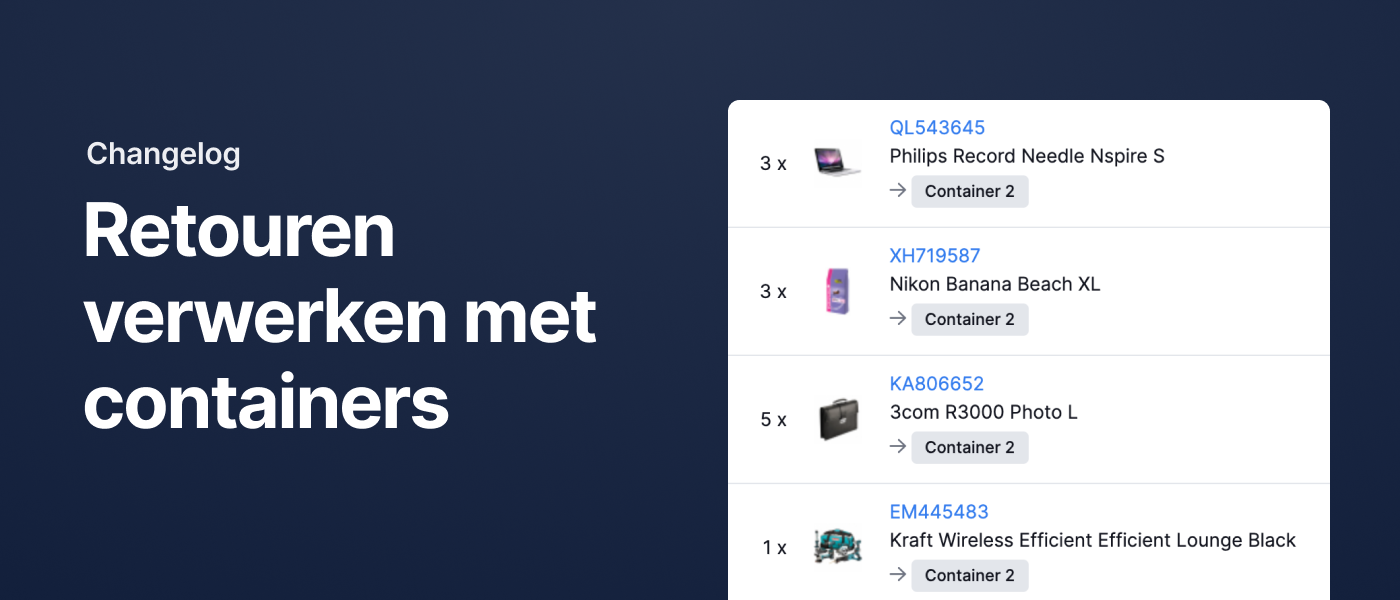
Process returned stock using containers
In October, we introduced something new: Containers. They let you move products using carts or trolleys while keeping track of where your inventory is during the transfer. The stock level of the original or linked locations stays accurate throughout the process.
Containers were already available when using replenishment advice, and now they can also be used when receiving a return.
When processing a return, you can now choose where to register the products once they’re added back into stock. This can be a container, the associated location, or no specific location at all.
Other improvements
- We’ve added support for Magento 2 integration with two-factor authentication.
- Budbee and DHL pickup points are now imported from Shopify orders and automatically passed on to the carrier.
- The updated main navigation now includes a separate “Locations” menu item. From there, you can access locations and containers.
- Our API now allows you to read and update the replenishment levels for pick stock.
- Fulfilment companies can now filter by fulfilment client on the receipts page.
- Fulfilment companies can now filter by fulfilment client when exporting shipments.
- We’ve added the webhook
products.stock_on_location_changed, which triggers whenever stock is updated at a specific location. - When a product is added to an order using rules, we now include the product price. This ensures customs information is accurate for non-EU shipments. If you prefer to add the product as free of charge, as before, use the new action "Add free product by product code".
- We now ignore any gift cards in Lightspeed orders. This allows Lightspeed orders that include a gift card to be imported successfully.
- The existing webhook
orders.status_changednow also triggers when the order status changes from “Expected” to “Draft”. - For Magento 2 orders, we now copy the phone number from the shipping address. If that field is empty, we use the phone number from the billing address instead.
No more searching for products
In a small warehouse with just a few different products, it’s easy to remember where everything is. Experienced pickers in larger warehouses also find their way around, often because they’ve worked there for years or the product range rarely changes. But what happens when your webshop grows, your assortment expands, or you need to train new team members?
Wasting time searching for products is inefficient. And you don’t want your operations to rely too heavily on the people who simply “know where everything is.”
Picqer is warehouse software designed specifically for webshops. With Picqer, you no longer need to memorize where products are. You can link products to warehouse locations within the software, giving you a complete overview of your inventory at a glance. This helps you stay organized and process orders more quickly.
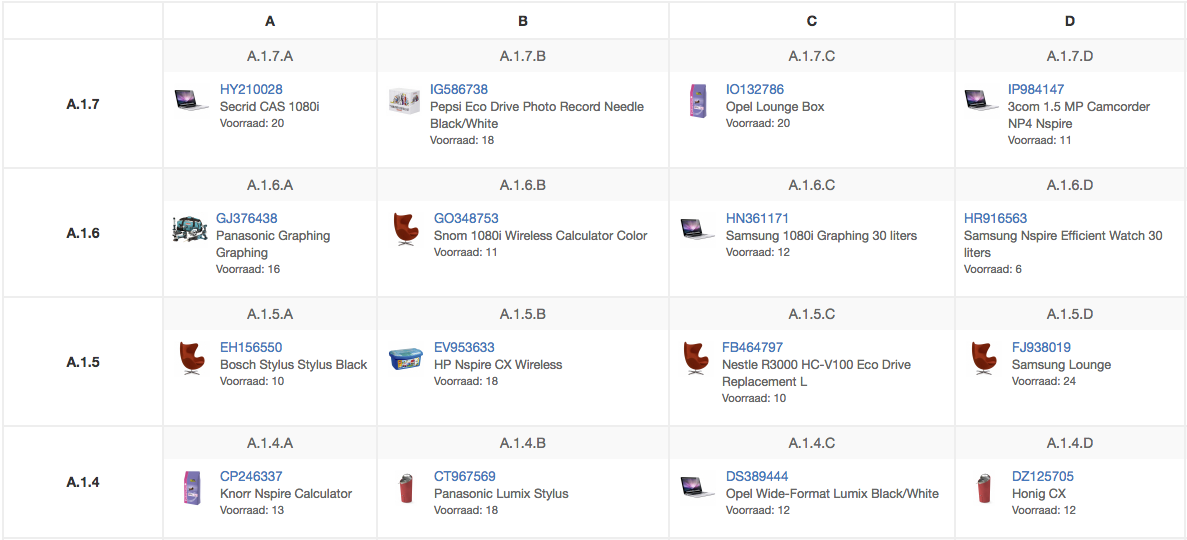
Picqer guides you to the right location
Not needing to search for products starts with proper location management: knowing what’s stored where and what the status of each location is. You could try tracking this in Excel, your accounting software, or sometimes even in your webshop backend. But to efficiently pick orders, you'd need to either pick directly from those tools or juggle multiple systems — neither of which is ideal.
With Picqer, you can manage locations and pick orders all in one place. Each location (like an aisle, shelf, or bin) is assigned a location number. That way, one or more products can be linked to every specific location.
Picqer tracks the location of products in real time, as well as whether a location is occupied or available. This makes storing or moving products much easier. When it comes time to pick orders, Picqer sorts the list in the best route for your warehouse. The picker goes directly to the suggested location and grabs the item based on the number shown. That means you don’t need to double-check that you grabbed the right item — even when products look similar.
Invest time in setting up location management
It does take time to set up your location management system for the first time. Depending on the size of your warehouse, it might take a full week to number every location. You can also choose to start small by numbering just aisles and racks. That way, pickers at least know the general area they need to be in. Next, you can set up Locations in Picqer, which usually takes about a day.
It’s also important to properly register any new products that arrive later. To help pickers avoid searching for locations themselves, we recommend clearly labeling every space in your warehouse. Mark pallet areas on the floor, hang zone numbers overhead, and label every bin with location labels — all printable directly from Picqer.
Purchasing without overthinking
Purchasing inventory is a precise but crucial task. You need to consider a lot: what products are in your warehouse? How much is being sold? And when will your incoming stock arrive?
You don’t want to disappoint customers with stockouts, but having too much inventory is expensive. That’s why we often see one person with a strong instinct for ordering being responsible for purchasing. But what happens when that person is unavailable?
With Picqer warehouse software, anyone can manage the purchasing process and you can be confident you're ordering the right quantities to keep your stock in balance.
Purchase based on real data
To make smart purchasing decisions, you need to know exactly what’s in stock. You could manually track inventory in Excel or in your webshop, but those systems often don’t account for existing purchase orders or items reserved for picking. In Picqer, you have all this information in one place. You get real-time insight into your entire inventory: where items are located, how many are actually available to sell, and when incoming stock is expected. Your inventory is automatically updated when you process an order or create a purchase.
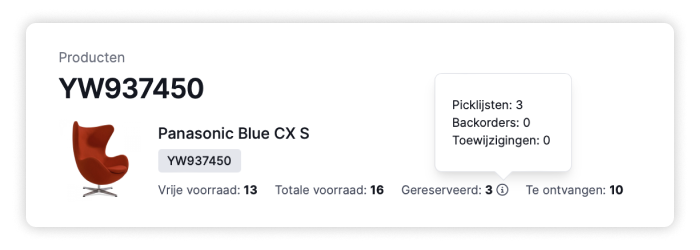
There are also other variables to consider when ordering. With suppliers, you deal with lead times, minimum order quantities, and order multiples. For each product, you want to know how often it sells and what its lead time is. You may also want to maintain a minimum stock level for specific items.
With Picqer, you don’t need to remember all this—it’s tracked in real time. You can set desired (minimum-maximum) stock levels and lead times per product. Based on past sales, Picqer calculates lead times and sales frequency. With this data, Picqer provides a purchasing recommendation. You’ll see your available stock and how much is recommended to order. With just one click, you can turn this recommendation into a purchase order for your supplier.
Everyone can purchase
Having a single person in charge of purchasing isn’t necessarily a problem—until they’re sick or on vacation. Picqer standardizes your purchasing process so anyone on your team can step in. Handing over this responsibility might feel daunting. And relying on data for purchase quantities may sound risky. But actually, this greatly reduces the chance of errors. With software, you're no longer dependent on one person, which keeps your operations running smoothly at all times.
Step-by-step onboarding
Picqer’s purchasing advice feature helps you get started step by step. You can choose from three different strategies: only purchase products on backorder, purchase to maintain stock levels, or purchase based on smart forecasts that take previous sales into account. By building up gradually, you gain confidence in the software and can step in when exceptions occur. For example, if you’re running a promotion and expect increased sales for a specific item. You can always manually adjust the recommendations Picqer provides. A purchase order is only created when you decide to hit the button.
Picqer named Gold Partner of Bol
We’re proud to announce that Picqer has officially been named a Gold Partner of Bol. This makes us the first warehouse software provider to reach this status. Picqer has been a Silver Partner since the start of Bol’s partner program, and we’ve now proudly risen to Gold Partner status.

What is a Bol Gold Partner?
Bol aims to make selling on its partner platform as easy as possible. To support this, Bol recommends trusted partners through its partner program, which consists of three tiers: Gold, Silver, and Bronze.
As a Gold Partner, Picqer meets the highest standards of Bol’s partner program. Our warehouse software includes all essential features for selling and shipping via Bol. The integration with Bol is both robust and comprehensive. Our support meets Bol’s quality standards. And our system security has been thoroughly tested and approved by Bol.
With Gold Partner status, you can be confident you're getting the very best from our Bol integration.
What can you do with Picqer and Bol?
The integration between Picqer and Bol allows you to sell products from your own warehouse directly on Bol. With this connection, you benefit from features such as:
- Lightning-fast import of orders into Picqer
- Sending shipping notifications, including tracking codes, to Bol
- Selling via multiple Retailer accounts on Bol from one Picqer account
- Full support for shipping via Bol
Discover everything about our Bol integration
Selling on Bol
Curious about the opportunities for selling on Bol? Visit Bol’s partner platform to learn how you, as a webshop owner, can start selling through Bol.
New to the team: Jesper & Jules
This October, we welcomed two new colleagues to the Picqer team. With Jesper and Jules joining the Product team, we’ve added fresh energy and expertise. They’re happy to introduce themselves:
Jesper van Haaren

Hi, I'm Jesper! I started at Picqer on October 2nd as a Product Designer. I’ve been working in UX/UI design for over 10 years now, with the past 7 years at American startups. I’m excited to bring that experience and product mindset to the Product team here at Picqer.
I’m truly a product person. No matter how complex the product is, I believe that a great product should be easy to use and deliver a fantastic experience. I also believe in building inclusive and accessible products. I enjoy every part of the process—from identifying the problem to shaping the solution.
I live in Nijkerk with my wife, our 2-year-old son, and our French Bulldog. It’s a lovely place to live, right in the middle of the Netherlands on the beautiful Veluwe. I spend a lot of time outdoors. I love running, trail running, hiking, and camping during vacations. I also enjoy reading (both fiction and non-fiction), photography, and riding my motorcycle. And I never say no to flopping on the couch with a bag of popcorn and a good movie or Formula 1 race.
What really drew me to Picqer is its ‘calm company’ philosophy. No investors to report to—just a team of great people building a solid product at a healthy, steady pace. It doesn’t get better than that. What I hope to achieve at Picqer is to help create the best warehouse software out there. It may sound like a cliché, but I just want to help build a product that people genuinely love using.
Jules Holleboom
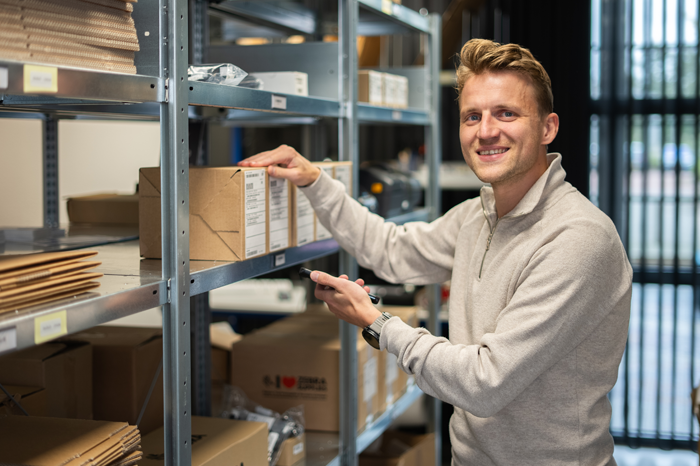
Hi, I’m Jules, and since October 2nd I’ve been working as a Product Manager at Picqer. Together with the Product team, I’ll be helping to further develop our warehouse software, so that webshops and fulfilment companies can enjoy working in their warehouse even more.
Since last year, I’ve been living by the coast in Wassenaar, where I also grew up, together with my partner and our two young sons. Outside of work, I get a lot of energy and inspiration from running and cycling—I love challenging myself. My ultimate goal is to run the Berlin Marathon one day with a fast time. But for now, I’m focused on changing diapers as quickly as possible and enjoying the early days of family life.
At work, I enjoy helping both customers and colleagues. I like digging into the root of problems and exploring multiple solutions—sometimes right down to the smallest details, because I believe those can really make a difference. That focus on both people and product is a big part of why I chose Picqer. You can see it in how user-friendly the software is. We’re also there for our customers and take feedback seriously. That’s pretty unique in the B2B world—but in my view, it’s exactly how it should be.
At Picqer, I hope to contribute to shaping a clear product vision and improving the feedback loop between customers, Support, and the Product team. That means I’ll be doing a lot of research—mainly by listening carefully to our customers and visiting warehouses regularly. See you soon!
Looking for an older article? Browse the full blog archive with all articles.
