
Changelog
We continuously improve Picqer. Every few weeks, we publish a changelog with the latest improvements.
Changelog: Rule improvements and other updates
Over the past month, we’ve introduced several improvements to how rules work in Picqer. These updates give you more control and clarity. Here’s an overview of all changes.
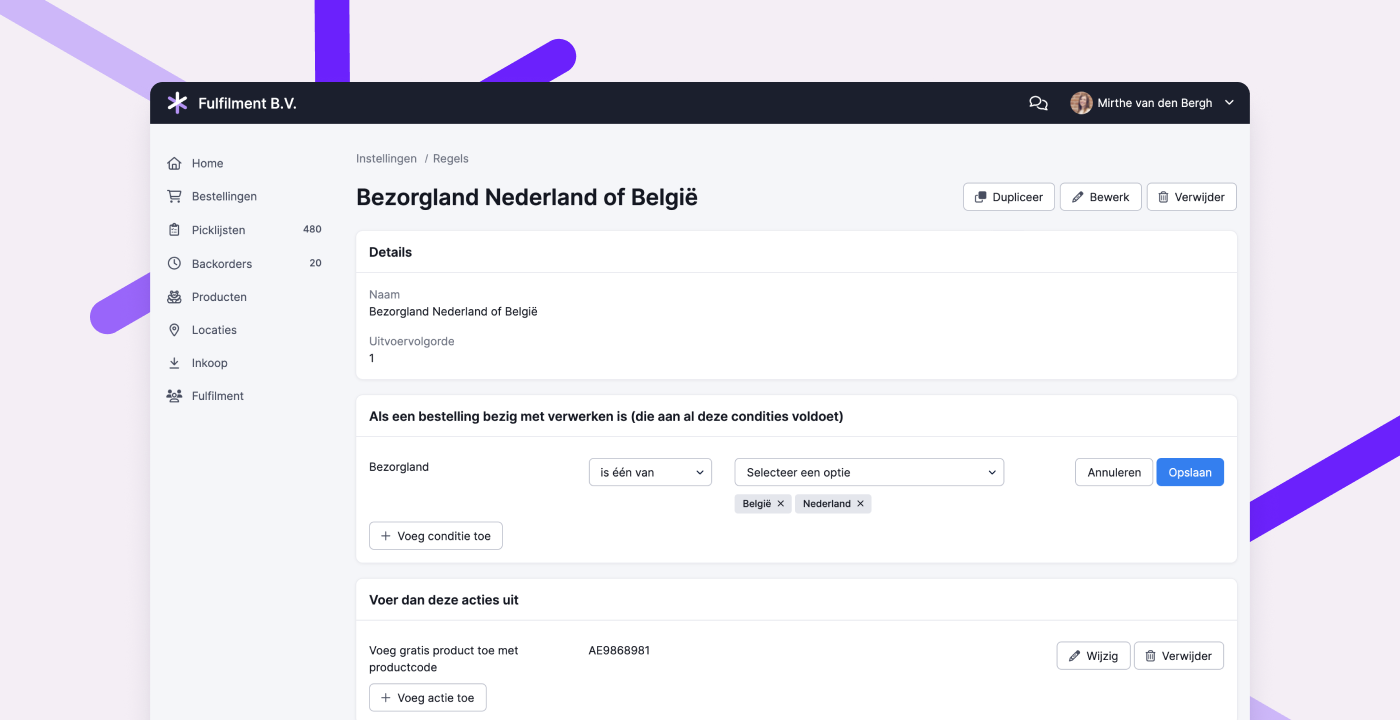
Select multiple shipping countries and fulfillment clients
When a rule applies to multiple shipping countries or fulfillment clients, you can now use the condition “is one of” or “is not one of.” You can then select one or more countries or clients. This helps reduce the number of separate rules you need, making things easier to manage.
Edit rule conditions and actions
You can now edit existing conditions and actions in a rule. This makes it much easier to apply updates, like adding an extra fulfillment client or shipping country to an existing rule.
Filter rules by fulfillment client
In the full list of rules, you can now filter by fulfillment client. This makes it easy to see which rules are active for each client.
On the fulfillment client detail page, you’ll now see how many rules are linked to that client. Clicking the number shows you exactly which rules they are.
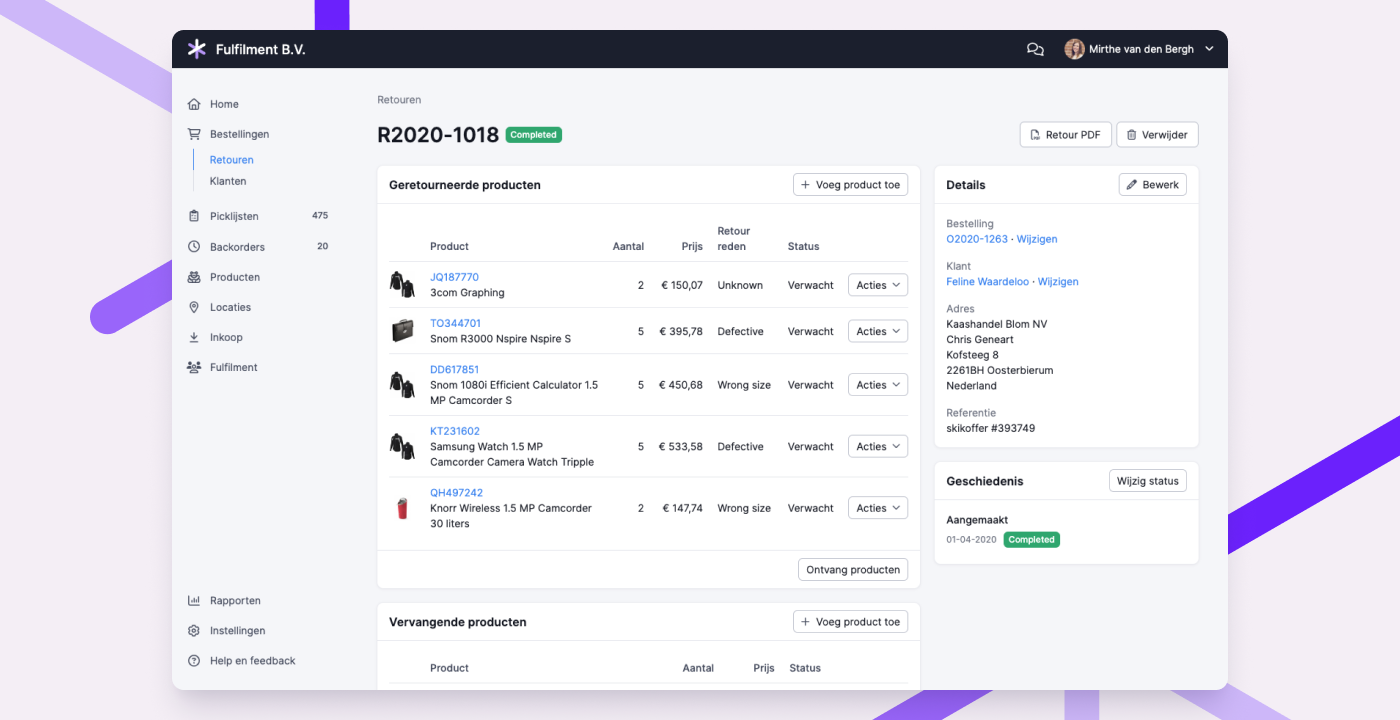
Updated return page design
We’ve refreshed the design of the return page. This is part of a larger effort to make the entire Picqer interface more organized and consistent.
When pages follow the same structure and layout, it’s easier to find the information and actions you need. It also helps new team members learn the system faster.
Still using the old menu, picklist or product page? Try out the new versions via Experimental features.
Other improvements
- When using the Sendcloud integration, you can now choose which contract to use in Picqer if you have multiple contracts with the same carrier in Sendcloud.
- The purchase order export now includes the warehouse, number of products, and expected delivery date.
- When importing stock, locations labeled as “Container” are now excluded, so stock can only be imported into fixed locations.
- In the fulfillment report, shipment statistics per profile and country now include the selected date instead of ending just before it.
- The Excel export of a purchase order now includes product barcodes in the final column.
- We added the
closed-picklists-todayendpoint to the API stats endpoint. This shows how many picklists have been closed today. - We also added the
idpicklist_batchattribute to the picklist endpoint, so you can see which batch each picklist belongs to.
Changelog: Fulfillment improvements and other updates
This month, we’ve made several improvements for fulfillment companies. We’ve summarized these and all other updates in Picqer in this changelog.
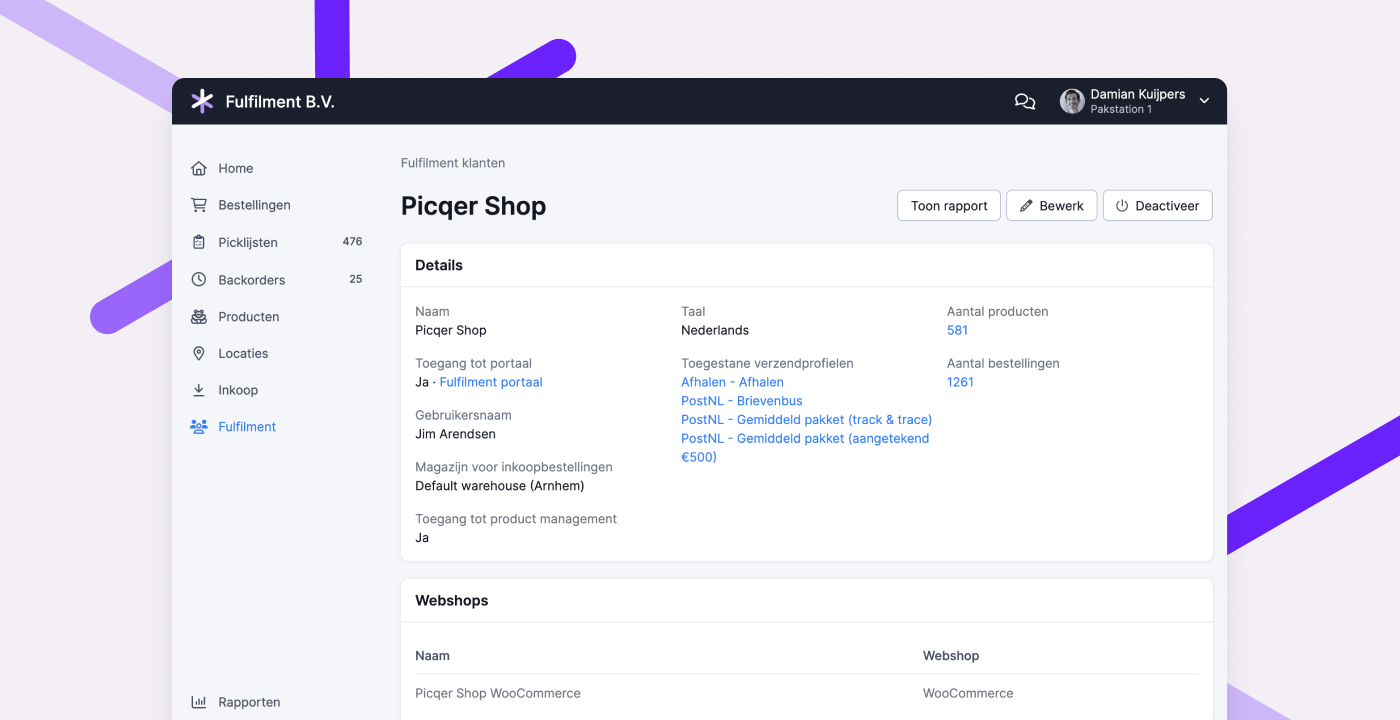
Improvements for fulfillment companies
- You can now set a preferred warehouse per fulfillment client for purchase orders placed through the fulfillment portal. This prevents stock from being received in the wrong warehouse by mistake.
- When deactivating a warehouse, any linked fulfillment clients and webshops are now automatically unlinked. This saves you the work of doing it manually.
- In overviews, filters, and on detail pages, it’s now clearly indicated when a fulfillment client is inactive, so there’s no confusion.
- On a fulfillment client’s page, you can click directly to view and edit the allowed shipping profiles. This makes it easier to manage them.
- When exporting purchase orders, you can now filter by fulfillment client.
- In the fulfillment client report, the number of shipments is now based on the shipments created during the selected period, rather than those created for picklists processed in that period. This gives a clearer picture of the actual actions performed per fulfillment client.
Other improvements
- If you're linked to a packing station, you'll now see that under your name at the top of the screen. When creating a shipment, you’ll also see the selected packing station and can change it if needed. This helps prevent labels and packing slips from being printed at the wrong station when working across multiple stations.
- For returns, you can now see which products are inactive. These products can no longer be returned to stock, helping prevent “phantom inventory.”
- The
order.status_changedwebhook is now triggered when the order status in the webshop changes from “expected” to “concept” or “processing.” - We’ve added a new API endpoint to retrieve all outstanding purchase orders for a product.
- If you're using multiple warehouses, the warehouses overview now shows the total stock value of all warehouses combined.
- You can now disable ABC classification and use the products API endpoint to classify products yourself. This allows you to apply your own algorithm for classification.
Changelog: Improved fulfillment reporting and other updates
Over the past few weeks, we’ve made several updates for fulfillment companies. The dashboard has been redesigned, and the reports have been expanded and made exportable. This makes invoicing and related communication much easier. You’ll find a summary of these and other improvements in this changelog.
Redesigned fulfillment client report
To provide a clear overview of the services provided to a fulfillment client, we’ve revamped the “Current Month Report.” The new report is easier to read and highlights key statistics. Each card links directly to a detailed overview. Reports are now exportable, making it simple to use the data for invoicing or administration.
This same report is now also available in the fulfillment portal. Your clients can view the services provided to them, so you don’t need to send this information manually. The detailed views, however, remain inaccessible to fulfillment clients.
Improved exports of processed picklists and shipments
The “Processed Picklists” and “Shipments” exports and reports have been expanded with new fields. For example, the shipment weight is now included in both reports.
Other improvements
- We added a new webhook:
products.created. This is triggered when a new product is created. Previously, you had to use theproducts.changedwebhook for this, but the new one provides a cleaner signal. - URLs in comments are once again properly detected and made clickable.
- We introduced a new API endpoint to close a purchase order.
- We added a new integration with Innosend.
- QLS service points are now imported with orders from WooCommerce and Magento 2, so the data is automatically passed on to the carrier.
- In the app, you can now assign a batch to yourself.
- We added support for 2 PostNL products:
- 4965 – Belgium Extra cover (EUR 500) + Deliver to stated address only
- 4878 – Pickup at PostNL location + Extra cover
- In some cases, products were missing from the replenishment advice. This issue has been resolved.
- When changing a product's purchase strategy to “Purchase only for backorders,” the “Replenish stock up to” value now automatically resets to 0, as does the reorder level.
Changelog: Process returns with containers and other updates
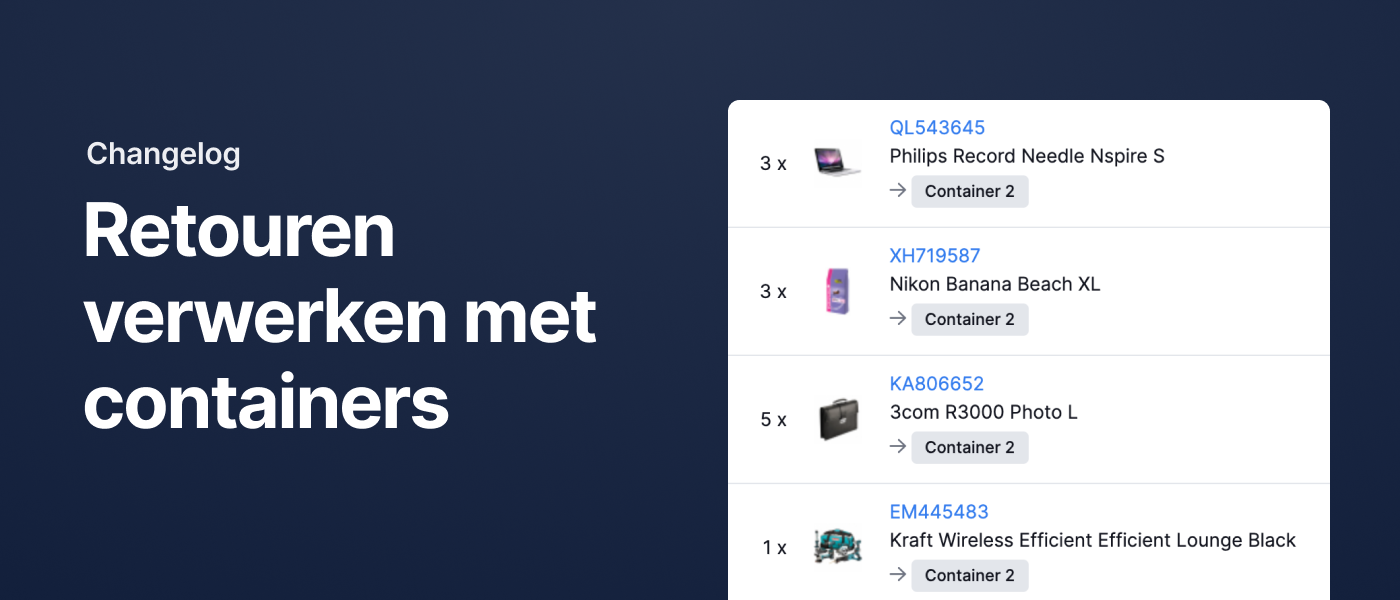
Process returned stock using containers
In October, we introduced something new: Containers. They let you move products using carts or trolleys while keeping track of where your inventory is during the transfer. The stock level of the original or linked locations stays accurate throughout the process.
Containers were already available when using replenishment advice, and now they can also be used when receiving a return.
When processing a return, you can now choose where to register the products once they’re added back into stock. This can be a container, the associated location, or no specific location at all.
Other improvements
- We’ve added support for Magento 2 integration with two-factor authentication.
- Budbee and DHL pickup points are now imported from Shopify orders and automatically passed on to the carrier.
- The updated main navigation now includes a separate “Locations” menu item. From there, you can access locations and containers.
- Our API now allows you to read and update the replenishment levels for pick stock.
- Fulfilment companies can now filter by fulfilment client on the receipts page.
- Fulfilment companies can now filter by fulfilment client when exporting shipments.
- We’ve added the webhook
products.stock_on_location_changed, which triggers whenever stock is updated at a specific location. - When a product is added to an order using rules, we now include the product price. This ensures customs information is accurate for non-EU shipments. If you prefer to add the product as free of charge, as before, use the new action "Add free product by product code".
- We now ignore any gift cards in Lightspeed orders. This allows Lightspeed orders that include a gift card to be imported successfully.
- The existing webhook
orders.status_changednow also triggers when the order status changes from “Expected” to “Draft”. - For Magento 2 orders, we now copy the phone number from the shipping address. If that field is empty, we use the phone number from the billing address instead.
Changelog: Redesigned product page and other updates
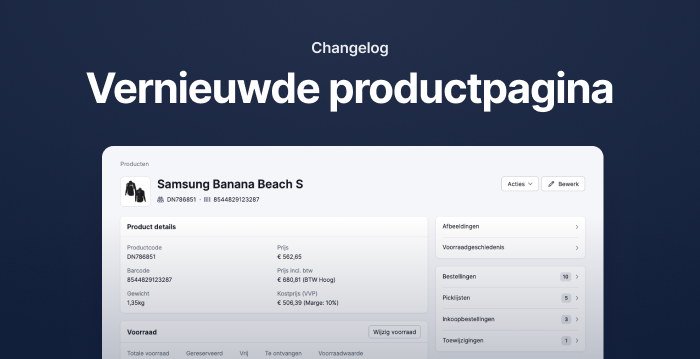
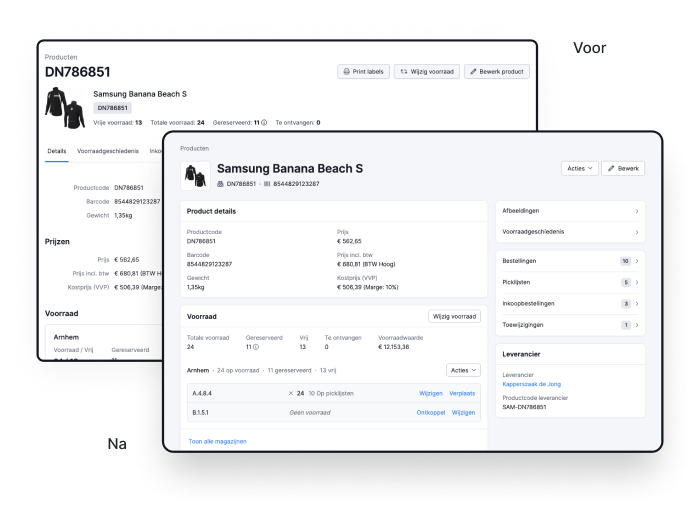
Redesigned product page
We’ve redesigned the product page. Information and actions that belong together are now grouped into cards, making the layout more structured and easier to scan. By using the available space more efficiently, you get a clearer overview of the product.
Just like with the updated pick list page, you can try out the new design via the experimental features page.
We’re curious to hear your feedback!
Automatic subscription adjustment
If your number of orders is increasing or decreasing, a different Picqer subscription might be more cost-effective for you.
Previously, you could manually switch plans when you expected a better deal. Now, we’ll automatically adjust your subscription retroactively if a different plan would have been cheaper in the past month. You’ll receive an email from us for each automatic adjustment, so you no longer have to worry about it.
Android app update
Version 2.4.0 of our Android app is now available. This update includes several changes that improve app stability. If you’ve been experiencing occasional crashes, we recommend updating to the latest version via the Google Play Store.
Other improvements
- You can now create a PrintNode account directly in Picqer. This makes it easier for users to get started with automatic printing.
- Fulfilment companies can now filter by fulfilment client on the returns page.
- When importing products using an Excel file, any country name entered (in the “Country of origin” column) is now converted to the ISO-3166-2 country code. This ensures integrations using this field continue to work properly.
- The Picqer app is now also compatible with the Honeywell ScanPal EDA5S. For full support of EAN13 barcodes, you need to adjust the settings of the scanner.
- We’ve added the new webhook
comments.created. This triggers when a new comment is added in Picqer. - You can now use product variables in the email template for shipping notifications. For example, you can include the total quantity or list the products and quantities in the message. Learn more about shipping notifications.
- In the app, you can now scan a location and link it to a product using the “Manage locations” option on the product page.
- If you use Shipping via Bol.com, there is now a setting to define which VVB orders should be snoozed. You can choose to snooze only if the consumer has selected a preferred delivery date. Be aware that this may result in orders without a preferred date being shipped too early. Bol.com may issue warnings for this. Read more about connecting Shipping via Bol.com.
