Changelog
We continuously improve Picqer. Every few weeks, we publish a changelog with the latest improvements.
Changelog: Comments in the app and other updates
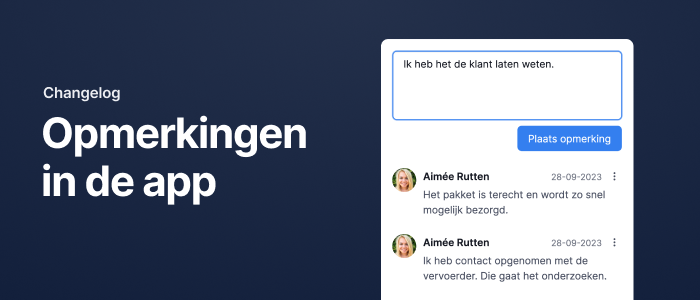
Comments in the app
In addition to comments on pick lists, you can now view and add comments in the app for products, purchase orders, and receipts.
From the Dashboard, you can access the full comment overview. Just like on desktop, you can view all comments, only your own, or only the ones where you’ve been mentioned.
Comments on batches
You can now add comments to batches in both the app and desktop. These comments are also shown on the PDF version of the batch.
Comments on pick lists and orders are now separate
Pick lists now have their own dedicated comments. Previously, comments from the order were shown on the pick lists. With this update, comments for pick lists and orders are now separated.
Any comment you place on a pick list is only visible on that specific pick list. It no longer appears on the related order or on other pick lists from the same order.
Control comment visibility for orders
You can now choose whether or not a comment on an order should appear on its pick lists.
This is helpful when certain notes are only relevant to customer service, and not to the order picker. Conversely, comments meant for the picker can be shown on the pick list to help them stay focused while processing.
Other improvements
- For a product, you can now set the replenishment level of the pick stock even when using the purchase strategy “Only buy for backorders.”
- The order log now shows when a pick list is unsnoozed.
- WooCommerce orders that initially contained no products were previously marked as “ignored.” These now get the status “ignore until updated,” allowing them to be imported later once products are added.
- Searching in the “Order statuses” overview in the fulfilment package has been significantly sped up.
- We’ve added a new integration with QLS.
Changelog: Manually printing shipping labels and other updates
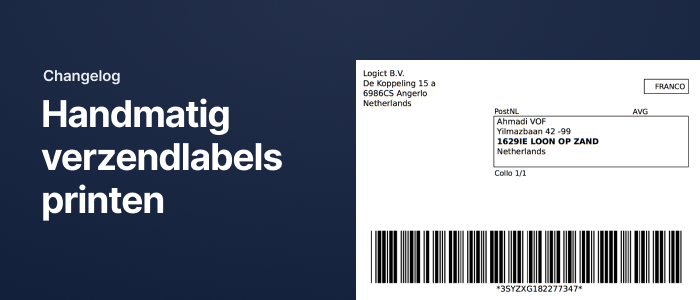
Manually printing shipping labels
You can now manually print shipping labels directly from a picklist. This is useful when a label wasn’t printed automatically.
If the selected printer supports ZPL labels and a ZPL version of the label is available, a ZPL label will be printed.
Barcode on return PDF
We now show a barcode on the PDF of a return. This barcode can be scanned to open the corresponding return in Picqer—just like with barcodes on picklists.
Improvements to the new picklist page
- On the picklist page, we now display the total weight of all products.
- We've added an indicator when an order is being shipped from multiple warehouses.
- After closing a picklist, a button is now shown to go directly to the next open picklist in a batch.
Other improvements
- You can now disable product imports for any webshop if you don’t want Picqer to import product data.
- In the new main menu (experimental feature), the “Backorders” menu item is now always visible, along with the total number of backorders. The "Purchasing and replenishment strategy" menu item has been renamed to "Stock strategy" and the "Warehouses" page has been moved to the settings page.
- The current pick stock is now shown in the PDF version of the refill advice.
- URLs in order fields are now clickable from the picklist.
- We’ve added a new API endpoint that allows you to fetch only products with stock in a specific warehouse—ideal for stock syncs.
- We’ve added the webhook
picklists.changed. This triggers when the status, urgency, or assigned user of a picklist changes, or when a product is removed. - You can now transfer stock reserved for backorders to another warehouse.
- In the location history, you can now see who linked the location during a stock transfer in the app.
- In a standard batch in the app, you can now scan picking containers to check off product quantities.
- Searching for customers and shipments has been significantly sped up.
- You can now also search shipments by recipient name.
- VVB orders are now only snoozed if the customer explicitly selected a later delivery date.
- Sendcloud error messages now include detailed feedback from the carrier.
- The settings, purchasing tools, and reports pages now use Picqer’s updated design.
Changelog: Automatically snoozing Bol.com VVB orders and other updates
Shipping via Bol.com is becoming more popular among our users. Over the past weeks, we’ve made several of the most requested improvements.
Automatic snoozing for VVB
Some Shipping via Bol.com orders must be shipped later, for example, when the customer has selected a specific delivery date. If you use multiple carriers, it can be difficult to configure this correctly with Rules. Now that we receive the allowed shipping date from Bol.com, we automatically snooze picklists until the earliest allowed shipping moment.
For example, orders shipped with Budbee will be snoozed until 12:00 PM the day before shipment. PostNL and DHL orders will be unsnoozed at midnight on the day they need to be shipped.
You no longer need to set up Rules for this. In fact, we recommend removing any Rules you have set up for VVB shipments.
Importing products from Bol.com
Picqer now imports new products from Bol.com, just like we do for other webshop integrations. When you connect a new Bol.com account, all your offers will be imported as products. We’ll also import products if they appear in an order but don’t yet exist in Picqer.
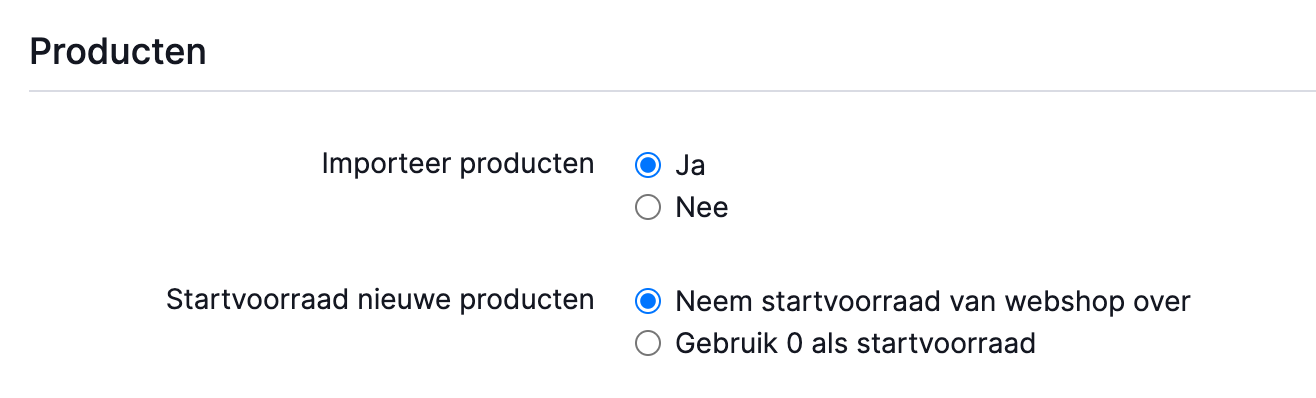
For existing Bol.com integrations, product import is disabled by default. If you want to use this feature, go to the webshop settings and enable product import.
Other improvements to the Bol.com integration
- New orders are now imported every 5 minutes instead of every 15 minutes.
- Every Shipping via Bol.com order is tagged with the carrier name. This lets you create Rules or batch picklists per carrier.
- If your stock exceeds 999 units, the sync will now continue correctly once it drops back below 999.
- When creating a shipment for a VVB order, a shipping profile is now always preselected.
Mobile app
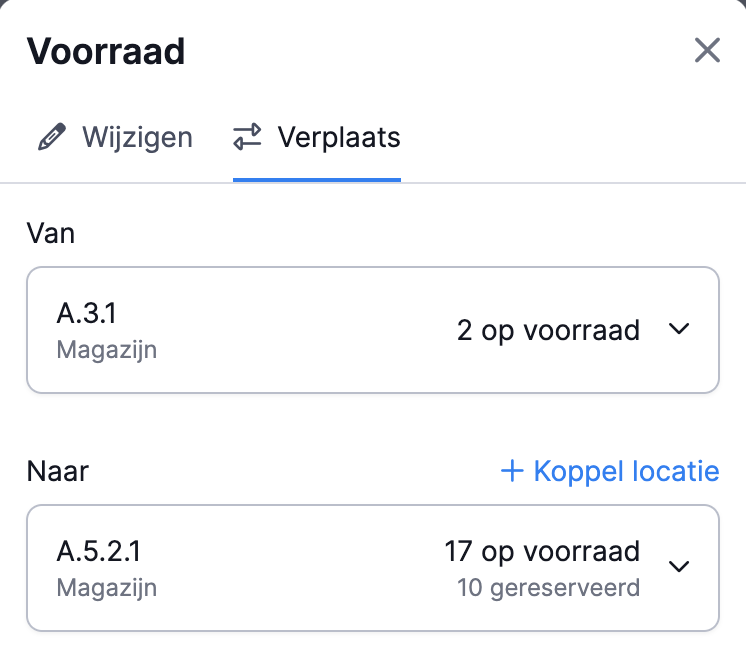
Wherever you can modify or move stock in the mobile app, the experience is now consistent. You can scan a location directly and link new locations from anywhere. We've also significantly improved the speed of moving stock within receipts, so the correct quantity is moved even if you're working quickly.
Other improvements
- Support for additional PostNL services within the EU. In addition to "Track & Trace Insured Plus," we now support the more affordable "Track & Trace Insured" and "Track & Trace."
- The webshop settings pages have been improved. Each setting includes more explanation, and advanced settings are hidden by default so you can set up new shops more quickly.
- On the new picklist page, the product you scan is now highlighted.
- Line breaks in order fields are now preserved on the order page.
- Fixed a bug where not all products were deactivated when a fulfilment customer was deactivated.
- The API now returns stock details for all active warehouses, even if no stock has ever been added.
Changelog: Product info available from the picklist in the app and other updates
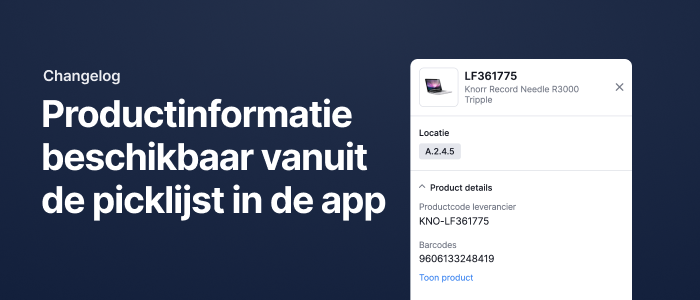
Product info available from the picklist
You can now view the product page directly from a picklist in the app. This lets you check other product locations, verify stock levels, make stock adjustments, or view stock history for the item you’re picking.
Other updates
- You can now try the new picklist page via the experimental features menu. The updated page is much calmer and easier to scan.
- A new webhook has been added with the name
products.parts.changed. It triggers when the components of a bundle are changed. - The supplier page now includes a tab showing all receipts linked to that supplier. You can easily unlink receipts from here if you want to delete the supplier.
- For Bol orders, all line items of the same product are now marked as shipped, instead of just the first one. This helps prevent strikes from Bol.
Changelog: Exporting and importing bundles and other updates
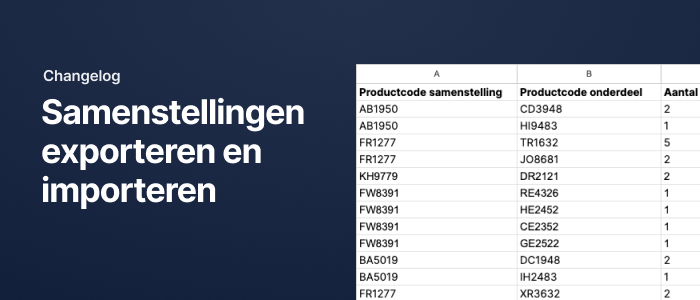
Exporting and importing bundles
You can now easily create and update bundles in bulk using Excel file import and export.
Other updates
- You can now try the new version of the main navigation in Picqer by enabling it in the experimental features menu.
- Picklists now permanently store the location from which the item was picked, even if that location is no longer linked to the product (unless the location itself is deleted).
- You can now retrieve batch presets via the Picqer API.
- You can now assign a picklist batch to a user via the API.
- A new webhook has been added:
picklist_batches.changed. It triggers when a batch is assigned to a user or when picklists are linked or unlinked. It does not trigger for picking actions.