
Changelog
Changelog: Preferred locations, easily cancel products and more
Over the past few weeks, we've made great strides. We recently launched a Tower for your warehouse. In addition, we introduced several improvements that make your daily work easier. In this changelog, you can read all about it.
Preferred locations and location notes
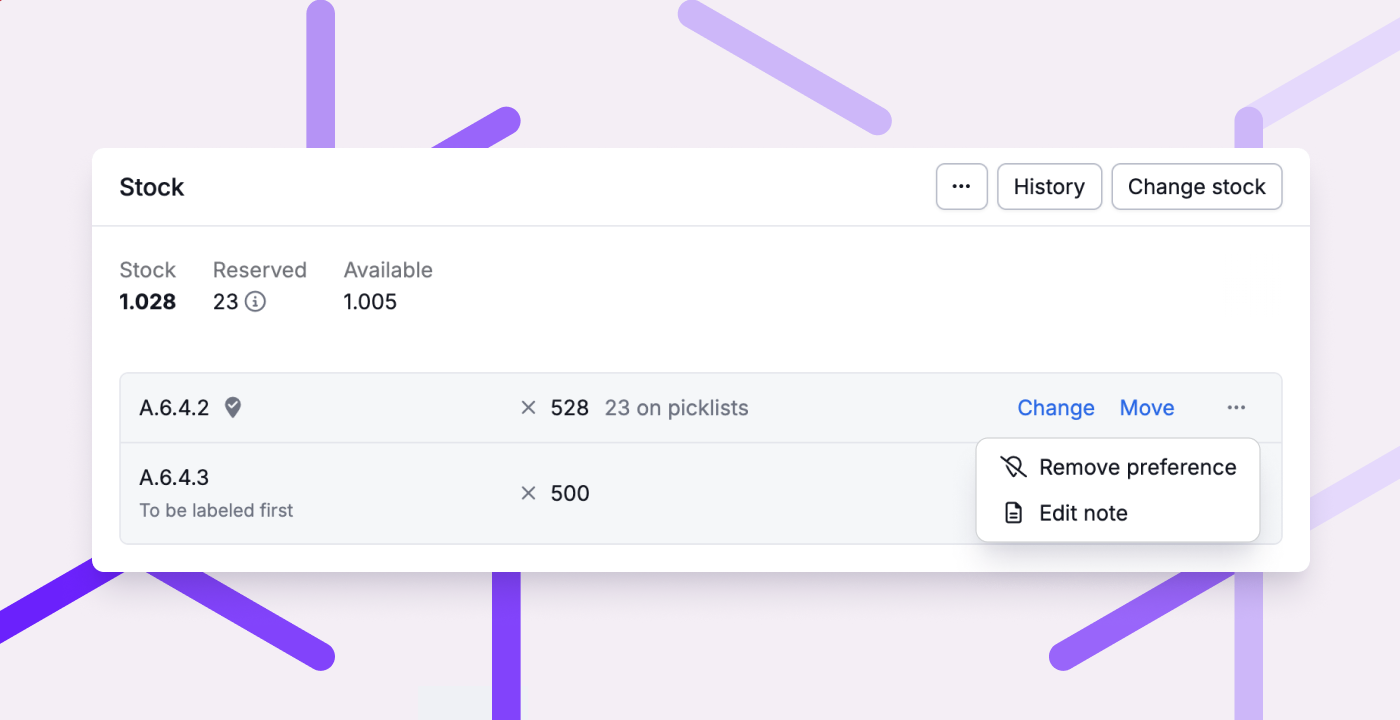
When stock of a product is spread across multiple locations, Picqer automatically decides from which location(s) to pick. Sometimes you’d prefer a different location to be used. For example, when you want to free up that location for another product. You can now enforce this by setting that location as preferred, so Picqer will use it for new picklists. If you don’t set a preference, you can now also see which location Picqer will consider first for new picklists. More information
In addition, you can now add notes to locations on a product level. For example, to indicate what should be done with the stock at a location, where it comes from, or why it has a preference. This way, it’s always clear what’s going on with a location, and you no longer need to rely on printed A4 notes.
Easily cancel products from order
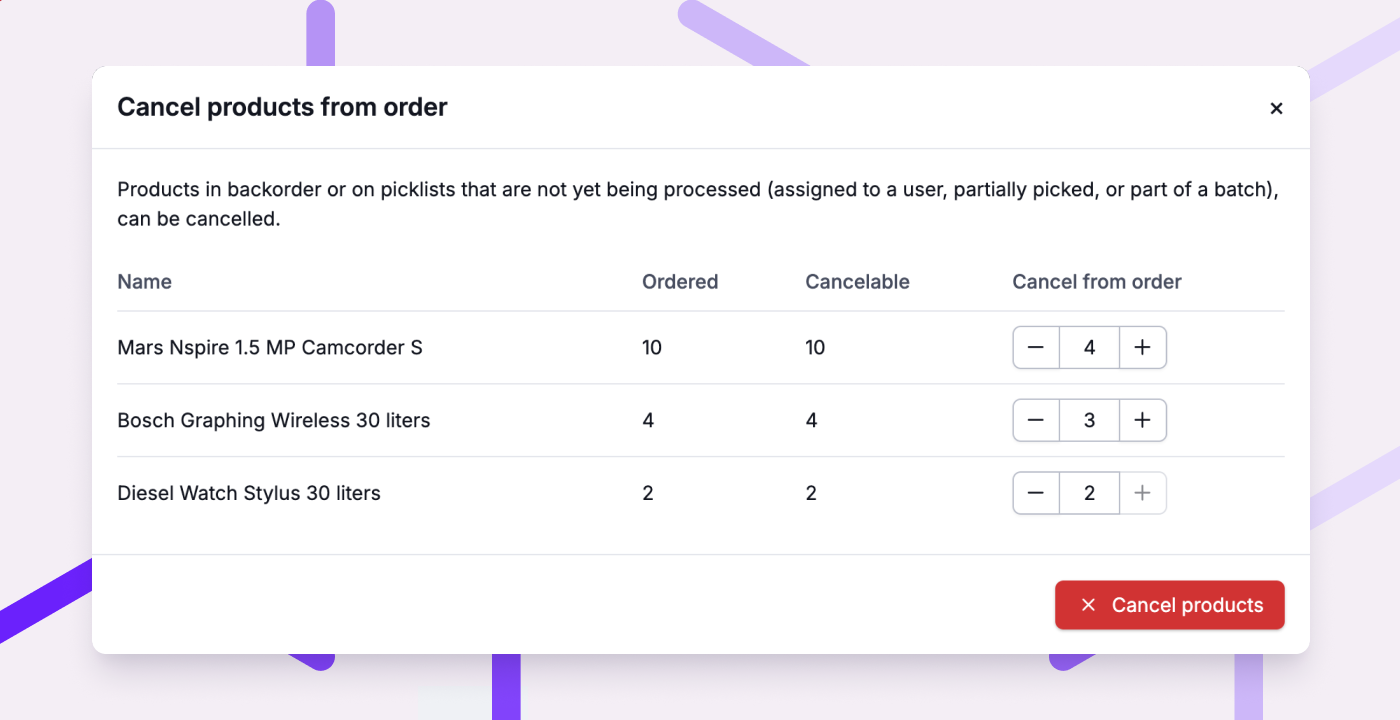
Sometimes you want to quickly cancel one or more products from an order. For example, if the customer changes their mind, or when a product is no longer available. You can now do this with a single action from the order page: Cancel products. It doesn’t matter whether the products are on backorder, on picklists, or both. Useful in the warehouse, and for customer service.
Other improvements
- You can now also remove virtual compositions from a picklist. Handy if you want to process them separately, or if a part can’t be found.
- Fulfilment clients can now set up a notification when a purchase order is marked as received. Additionally, they can edit product dimensions and weight themselves.
- With rules, you can now check the delivery address, delivery postal code, and other fields for numbers and letters. For example, you can detect orders without a house number and pause them.
- Purchase orders now show the total of received and expected products, underneath the total of ordered products.
- Invisible characters like spaces and tabs no longer affect search queries. And when searching for orders by email address, it no longer matters if you use uppercase letters.
- MyParcel shipments can now also be created for GLS. For UPS, you can now also choose ‘UPS Express’, in addition to ‘UPS Standard’.
- Pickup locations are now supported in combination with the WooCommerce V2 plugin from Sendcloud.
- Within a Movement, you no longer have to save changes before executing the transfer.
- Within the 'Orders' tab on a product page, cancelled products are now taken into account. This way, you always see what has actually been ordered.
- Via the API you can now filter orders and picklists by tags. It’s also now possible to retrieve the pause reason via the API.
We also fixed the following issues:
- Exporting large amounts of orders is fast again, as is exporting shipments for a single fulfilment client.
- The order log now correctly shows address changes made on the picklist.
- Within Receipts, the search field is no longer cleared after printing product labels.
- DHL Europlus shipments are once again created correctly via MyParcel.
- Virtual compositions can no longer be unintentionally linked to a location. And exclusive locations can no longer be linked to more than 1 product.
- Sending shipment updates back to Bol now works correctly for orders that are partly shipped directly (with different delivery promises), and partly via Bol.
Recap Meet & Grill 2025
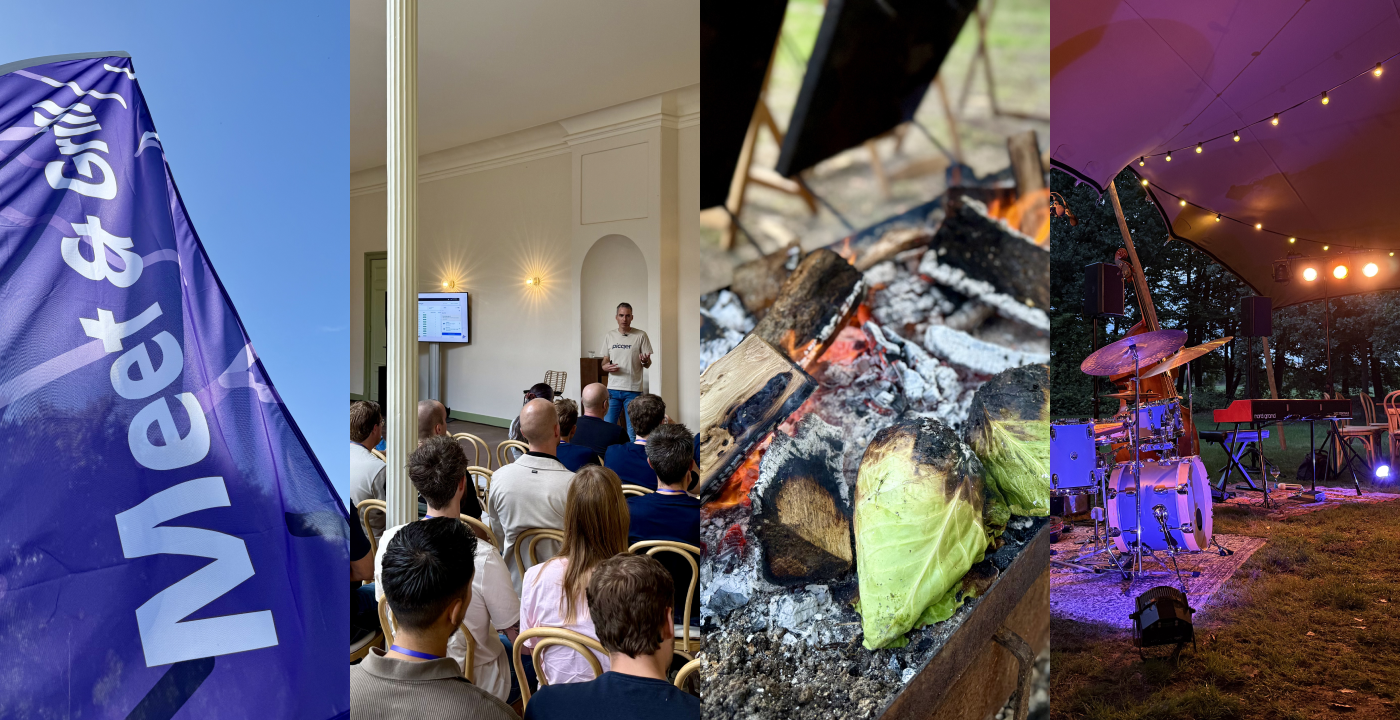
Last week we held our annual Meet & Grill. What an amazing day it was! The sun was shining, the atmosphere was great, the food from De Vuurplaats was delicious, and we were joined by so many wonderful people.
Watch the aftermovie
Presentations
Casper kicked off the afternoon with a look back at the past year. He also announced something new in Picqer: Tower, a watchtower for your warehouse that gives you real-time insights into everything happening inside. Tower is now available for everyone here.
Next, Suzanne from Sprinklr shared how their logistical challenges became the foundation of their success. An inspiring story about perseverance, believing in your mission, and building a strong team culture. A key takeaway:
You improve logistics by truly listening to the problems customers bring up. By understanding the details of where things go wrong, and looking at why they happen, you can solve the issue before it becomes a problem. And that is really a team effort, from customer service to the warehouse floor.
See you next year!
We loved seeing you at the Meet & Grill. We hope you had a great day and left feeling inspired. Thank you for the good vibes and see you again next year!
New: a Tower for your warehouse
Picqer not only helps you to ship a specific order quickly and accurately but also helps you maintain an overview of your entire warehouse. So you know what you've done, what still needs to be done, and where to step up the pace.
As a warehouse manager, you sometimes want to know what your team is working on. For this, you occasionally walk around your warehouse. Just to get a feel for how things are going and if everyone is working on the right tasks. As your warehouse and team grow, such a walk becomes quite a journey, and there's simply too much happening to oversee everything.
That's why we're introducing Tower, to give you real-time insight into what's happening in your warehouse:
You can find Tower under Reports > Real-time insight > Tower.
By taking a look regularly, you'll always know what your team is working on and can adjust when necessary. And if everything is running smoothly, you can watch with satisfaction. Nice, right?
Changelog
Changelog: Virtual compositions in the fulfilment portal and more
Summer is coming to an end again. Hopefully, you were able to recharge well and prepare for peak peason. We haven’t been idle either. Besides many small improvements, this time we also have a nice update for fulfilment. You can read all about it in this changelog.
Virtual compositions in the fulfilment portal
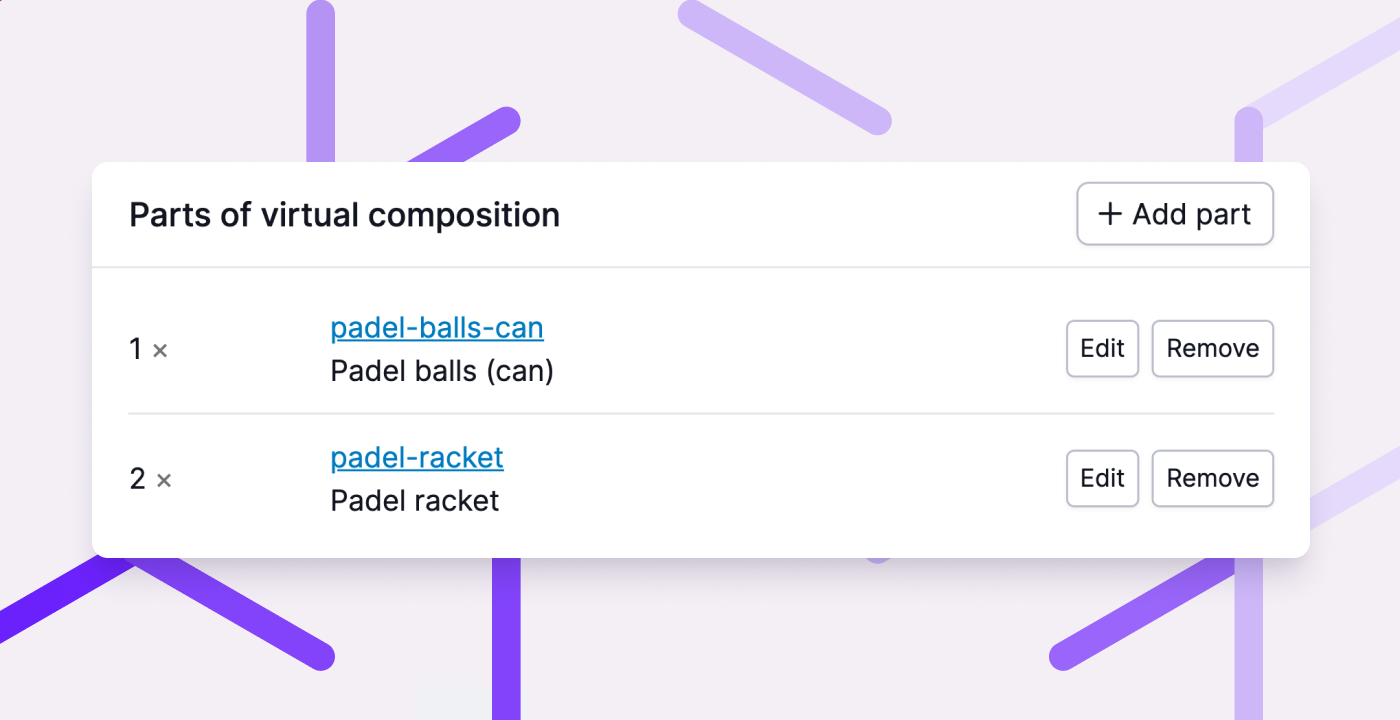
Fulfilment customers can now manage virtual compositions themselves in the fulfilment portal. In addition to modifying parts, they can also create new virtual composition and convert existing products. This means they no longer need to contact you as a fulfilment company. Less hassle for you, more convenience for your fulfilment customers!
Other improvements
- In the order log, we now also show changes to the address and contact details.
- For WooCommerce orders, we now also support Zineps pickup points.
- When reporting shipments back to CCV Shop, we now also provide the carrier so that the webshop can generate the correct track & trace link.
- Within a receipt, we now also remember the location or container for receiving all products. Additionally, scanning unexpected products works faster as well.
- When creating a return, we no longer automatically add cancelled products from the orders.
- When processing returned products from multiple returns at once, you can now also choose to add stock to a container or the linked product location.
- Within a return, you can now easily view and cancel backorders for replacement products.
We have also fixed the following issues:
- Product labels can once again be printed from all tabs on the product page.
- When adding products to a Purchase order or receipt, the search field is no longer reset when switching between 1 supplier and all suppliers.
- Within a receipt, we no longer allow reverting a received product if this would result in negative free stock.
- When importing an order from Magento 2 or WooCommerce, we now take into account the setting 'house number on a separate address line', so that the customer address is always stored correctly.
- When creating a return, we now always use the complete address of the order or customer, instead of a combination of both.
- When fulfilment customers create a purchase order via the API, the preferred warehouse is now also selected.
Join us for the Meet & Grill on September 10
On Wednesday, September 10, 2025, we’re hosting our annual Picqer Meet & Grill. A great opportunity to catch up, meet other entrepreneurs, and enjoy a delicious food together.
This year, we’re heading to a beautiful forest location. We’ll be at De Oranjerie in De Bilt, where the chefs from De Vuurplaats will be cooking for us over open fire.

Looking for an older article? Browse the full blog archive with all articles.
