Picqer in the classroom
ROC Het Perron in Veenendaal has been using Picqer for 2.5 years to give Logistics and Transport students a realistic view of logistics processes and to prepare them for the professional field. At their ‘Het Laadperron’ location, the school has set up an 800 m² warehouse for practical training, alongside classrooms and offices.
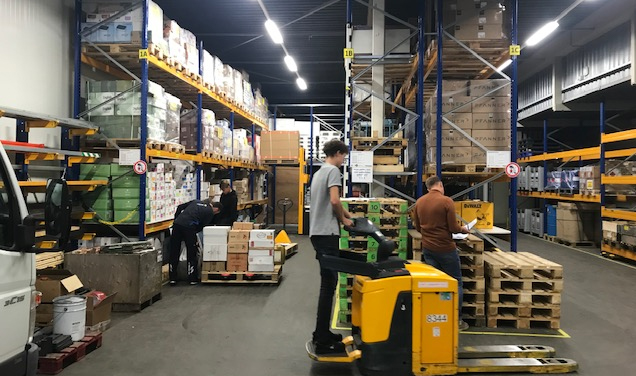
Mark van Ravenhorst has been teaching transport and logistics subjects for three years. After years of experience as a transport planner and logistics manager, he wanted to pass on his knowledge to the next generation. That’s how he became a teacher at Het Perron.
Searching for easy-to-use WMS software
To give students better insight into logistics, Mark started looking for warehouse software for the training environment. He needed something simple and accessible. “Many systems are extremely complex. These are already difficult for experienced workers, let alone for students. By the time they understand the WMS, the school year is already over. That’s why we chose Picqer. We only need to explain a process once, and they immediately understand how it works and can get started right away. Picqer is exactly what we were looking for in our practical setting.”
Logistics from A to Z
ROC Het Perron aims to use Picqer as broadly as possible.
“What we want to teach is the full picture of the logistics process, and to give students the confidence that they can perform these tasks independently. From incoming to outgoing goods flow. We want to simulate this as realistically as possible. So we don’t want students using pen and paper. That’s not how it works in real-life operations,” Mark explains.
For VMBO level 3 and 4 students in the transport module, Picqer is used to gain experience in picking orders. For MBO students in the Logistics Employee and Logistics Team Leader programs, it goes a step further. Picqer helps them master the complete logistics process.
They simulate a warehouse by forming a team of 5 to 10 students. Each lesson, one student is assigned as the warehouse manager. This student makes sure everyone receives the correct picklists and operates the WMS system. The rest of the students handle the warehouse tasks.
In addition to using Picqer, MBO students gain experience with all aspects of logistics, from route planning and loading/unloading goods to pallet stacking and operating forklifts.
Gaining an edge with hands-on experience
“With theory alone, you miss out on a lot of experience. Most of our students learn better by doing than from textbooks. The gap between theory and practice is big. Once you’ve mastered a process in practice, it’s easier to respond to unexpected situations. For example, when a student receives an incomplete booking, they might initially think, ‘too bad, let’s move on.’ But by letting them experience the issues that arise later in the process, they understand why it’s so important to solve mistakes early. The next time it happens, they know exactly what the consequences are if they ignore it. That gives them a real advantage over students who haven’t encountered these situations before.”
Expanding the curriculum
Soon, Het Perron will experiment with the Picqer app to work paperlessly. They’ll also give each student their own account so they can track every step. This way, any mistakes can be traced back to a specific student, allowing them to offer support where needed.
Mark hopes they can expand their use of Picqer even further in the future. With a new training instructor on board, they now have more time to explore which features they can add to the curriculum.
This interview took place on March 4, 2021.
New integration: Shipping via bol.com
You can now add the new Shipping via bol.com service as a carrier in your Picqer account. With this integration, we make it as easy as possible to use Shipping via bol.com. You continue processing bol.com orders using this shipping method just like any other order.
Shipping via bol
Bol.com offers the option to ship your orders at attractive rates without being held accountable for the carrier’s performance. Shipping via bol.com offers several advantages:
- Bol.com no longer holds you accountable for the carrier’s performance
- Customer delivery questions are handled by bol.com
- Lost shipments are reimbursed up to 75% of the selling price
For each product listed on bol.com, you decide whether to use this new service. You can also continue using your own shipping contracts if you prefer.
Integration in Picqer
When a product is listed with Shipping via bol.com, it must be shipped using that service. The Picqer integration helps by only showing Shipping via bol.com shipping profiles for applicable orders. Non-bol.com orders cannot use this shipping method. This eliminates manual steps and prevents errors.
Connecting is simple:
- Add bol.com as a new carrier in Picqer
- Configure in bol.com which products you offer with Shipping via bol.com
The connection is now active. Our support article Connecting Shipping via bol.com walks you through the setup step by step.
Only for orders from bol Retailer shops
Shipping via bol.com is only available for orders imported directly through a bol.com Retailer webshop integration in Picqer. If an order is created manually or imported via a third party, Shipping via bol.com cannot be used.
Related articles
Learn more about the integration in the following articles:
Returnless integration: process returns without errors
You can now connect Returnless to Picqer. The integration was developed by the Returnless team and is already being used successfully by several customers. This connection ensures that all return information from Returnless is automatically synced to your Picqer account.
About Returnless
Returnless is a returns solution that automates and optimizes your entire return process. Through a personalized return form, your customers can register returns themselves. They only need to enter their order number and email address. The order is then retrieved in real time from Picqer. Customers indicate which products they are returning, the reason, and which carrier they will use. They instantly receive a return label. All of this return information appears in your return portal, and now also in Picqer. This makes processing returns quick and easy.
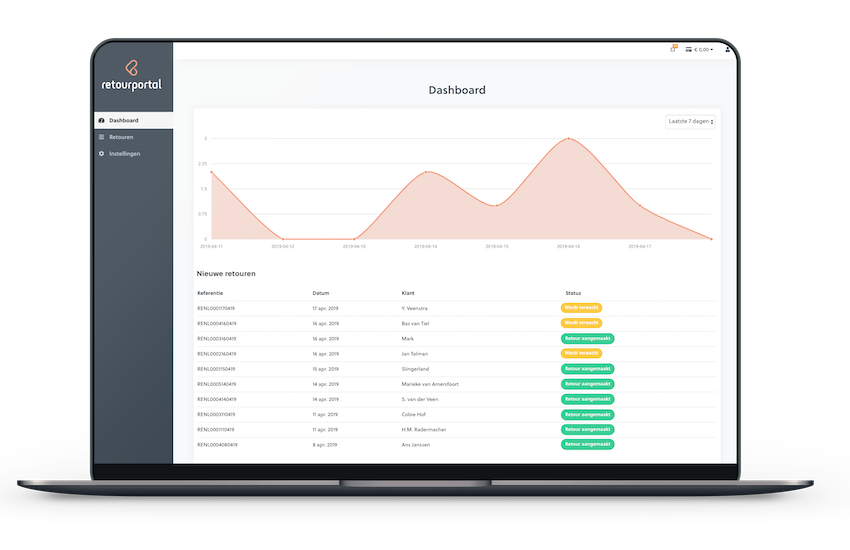
Picqer + Returnless integration
The new Picqer + Returnless integration makes it simple to process returns registered in Returnless:
- Automatic pre-notification in Picqer: The return is automatically pre-notified in Picqer after the customer registers it through your Returnless return form.
- Easy return handling: When the return package arrives at the warehouse, you can scan the barcode on the return label. The customer receives a notification, and your warehouse team sees the return immediately in Picqer.
- Prevent errors: Your warehouse staff only need to approve the return in Picqer. This eliminates manual input, reduces errors, and keeps your inventory accurate in one go.
Get started today
Not a Returnless customer yet, but interested in automating your return process? Sign up for a free 14-day trial.
Already have a Returnless account and ready to start the integration? It only takes 5 minutes to set up. You can find more information in this support article.
Trengo integration: offer omnichannel customer service
With the shared team inbox from Trengo, you can connect all your communication channels (including social media) to one central inbox. From email and phone to live chat, WhatsApp, and Facebook—your customer service team no longer has to monitor every channel manually, saving a lot of time. With the new Picqer + Trengo integration, you can now also access warehouse information directly from your inbox.
Trengo’s omnichannel inbox
More and more customers expect an omnichannel experience when contacting a webshop. That means being available through their preferred channels, without compromising the quality of service. The support you provide via WhatsApp or Facebook Messenger should be just as strong as via email or phone.
But where do you find the time to monitor all those channels? How do you make sure no message gets overlooked? And how can you respond quickly without sacrificing quality? Trengo helps bring clarity to this process.
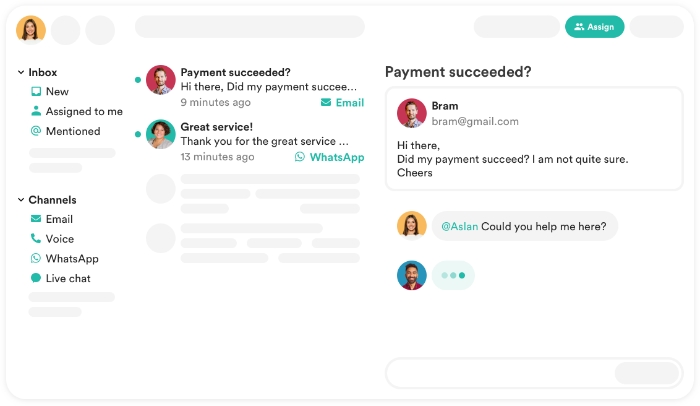
Trengo is a shared omnichannel inbox that combines all your communication channels in one place. Your team always maintains a clear overview and no message slips through the cracks. You can also chat with colleagues within the inbox to solve customer issues together. Trengo can connect to email, phone, WhatsApp, Facebook Messenger, Twitter, and more.
Picqer + Trengo integration
At Trengo, we believe customer service teams should focus as much as possible on the customer. A good conversation only happens when there’s no distraction. That’s why we love any opportunity to streamline communication—and we were immediately excited to partner with Picqer.
With the new Picqer integration in Trengo, communicating with customers becomes even more efficient. If a question comes in about an order status or delivery address, that information is instantly available in the Trengo inbox. You no longer need to search in Picqer. This means you can provide accurate information faster—beneficial for both you and the customer.
Benefits of the Picqer and Trengo integration:
- Save time: No more switching between Trengo and Picqer to answer customer questions. All order information is directly available.
- Clear overview: Manage all communication in one inbox. See when someone contacts you via multiple channels.
- Higher customer satisfaction: Respond faster with the right information.
Read the support article to get started with the integration between Picqer and Trengo.
New in our team: Erik & Kim
Over the past few months, four new team members have joined Picqer. Today we would like to introduce you to Erik and Kim.
Erik de Vries
Hi, I'm Erik and in April I started at Picqer as Interaction Designer. I'm going to dedicate myself to making Picqer an even finer and more beautiful product.
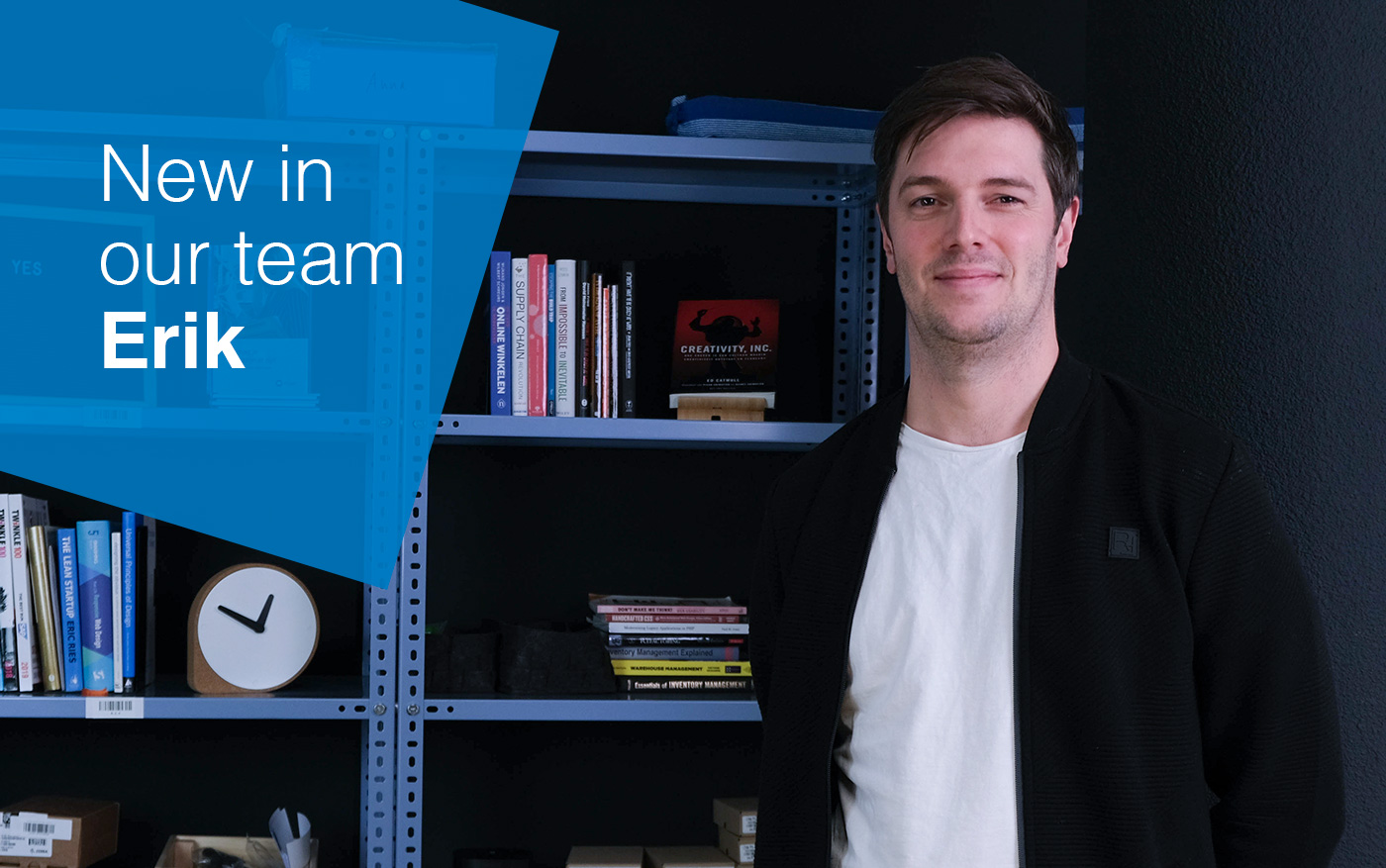
The past 8 years I have worked at a (now) large e-commerce company where I have fulfilled several roles. Besides my work as a front-end developer I laid the foundation for the current online marketing department. In the past 4 years I was manager of the development team where I also learned a lot about back-end development.
About a year ago I met Picqer during my time at my previous employer when we decided to further expand our own warehouse software. At that time Picqer already seemed like a nice company to be part of. With the vacancy "Interaction Designer" I didn't have to think long before I knew I wanted to apply.
Together with my girlfriend and our children Saar (3) and Sam (1) I live in Arnhem. In my spare time we do fun things with the kids, I like to go out for dinner, drink a beer with friends, work in the garden (when the weather is nice) and I like to be busy with small design/development hobby projects.
I am looking forward to working with the whole team of Picqer to create the best software for webshop warehouses!
Kim Kneepkens
Hi, my name is Kim Kneepkens and I have been working at Picqer since April 1st in the role of Account Executive. I look forward to advising and guiding our potential customers in their choice for Picqer.
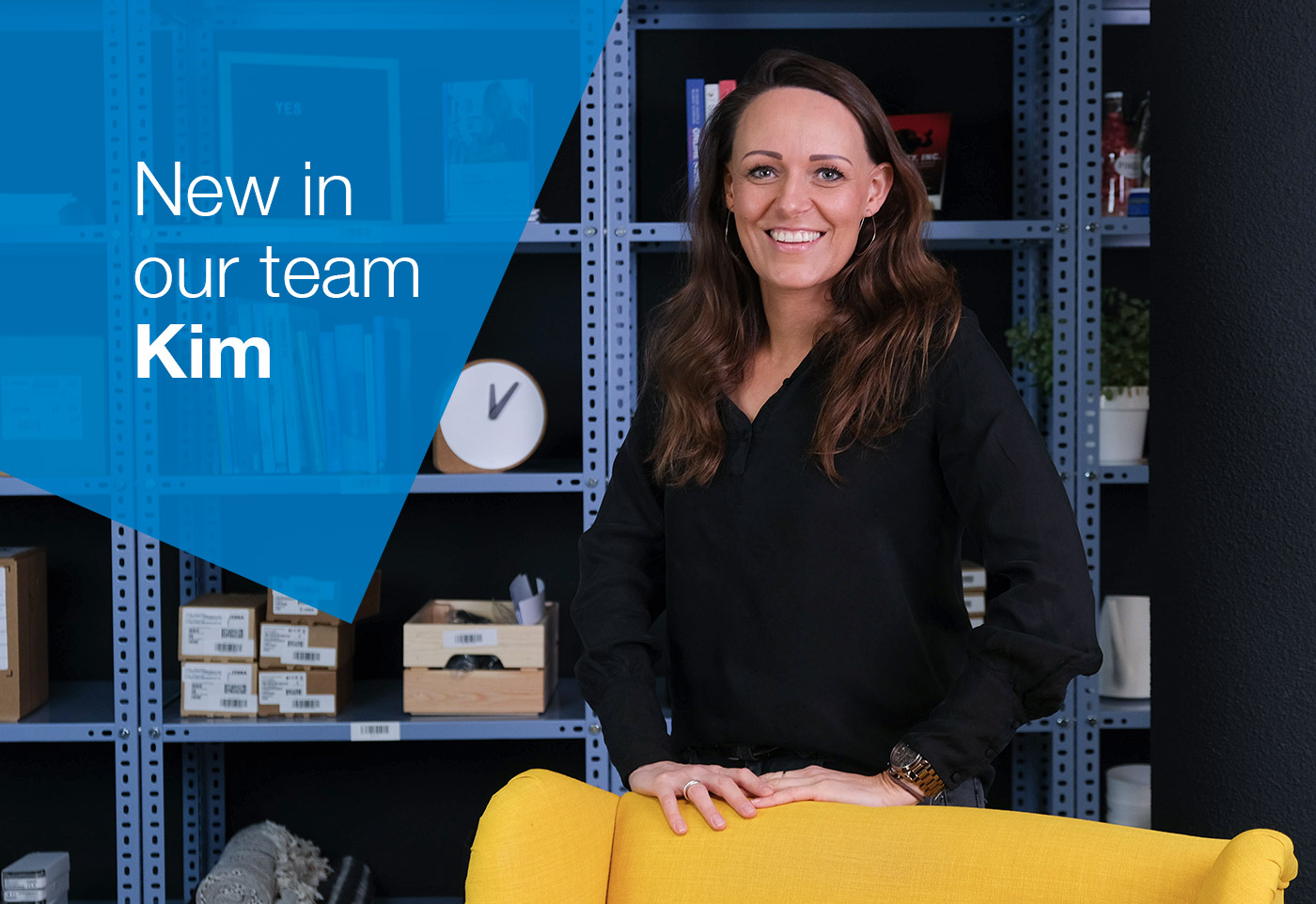
After studying Commercial Economics at the Hogeschool van Arnhem en Nijmegen, I have always had commercial roles in which I advised organizations on the use of specific software for different industries. The last five years this mainly concerned access control and attendance registration. At first I took on the organization of trade fairs , events, a bit of marketing and lead generation. In the last year I worked on the implementation of software for various organizations.
In recent years I have been introduced to many different organizations. But not with webshops. (Except for shopping, in which you can call me a star...!). This in contrast to my colleagues here, who have a lot of knowledge and experience in this field. I think it would be great to get to know their knowledge as soon as possible so I can advise webshops optimally. Picqer attracted me very much because they have their software so well done and have such a clear picture of what they want with the company. I am happy to be a part of this now!
Besides work I am also the mother of a daughter Elin (almost 7) and a son Bruis (4). Together with them and my boyfriend René I live in Arnhem. I like to socialize with friends and girlfriends. Besides that I'm more and more busy with healthy food, I like sports (but I don't do that enough) and I like to be creative, especially at home.
I hope to talk to you soon to tell you more about Picqer!
Looking for an older article? Browse the full blog archive with all articles.