
New: Use your own domains for emails
All emails from Picqer are sent with notifications@picqerapp.com as sender and with the configured e-mail address as reply-to address. This domain is verified by us to ensure that emails are less likely to be marked as spam.
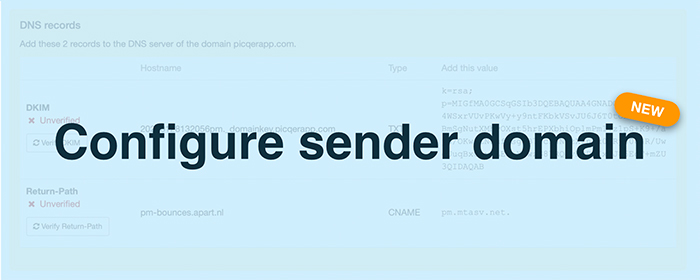
Use your own domain
From now on it is possible to add you own verified domain name in Picqer. Picqer will then send emails with your own domain name as sender. The domain will be verified, so the email is less likely to be marked as spam. Verified domains can be used as a sender for emails in templates.
Verify your own domain
Want to get started right away? Check our support page on verifying sender domain.
Sender domains are available for Picqer subscriptions with a limit on orders.
New in our team: Bob
Hello everyone, my name is Bob Lurvink and since the 1st of November I am part of the Picqer team. Here I will fulfill the role of Support Specialist.

I once founded one of the world's largest office supplies wholesale webshops. After a huge growth in a very short time, we had to move and I became an assistant manager. Here I learned a lot about warehouse arrangement and how to pick orders efficiently to save time and minimize error margins. A solution like Picqer could have helped us out a great deal, but unfortunately did not exist yet.
In recent years I have worked for a large logistics service provider as Key/Major account advisor. I was the single point of contact for 6 of the largest customers and helped them with any shipment related questions or issues. Because we had daily contact, I built a very good relationship with these customers. Best of all, a few already found Picqer a long time ago and therefore still belong to my customers!
I live in Arnhem with my girlfriend and we love to eat good food and like to do this as often as possible. Cooking or eating out, as long as it is very tasty! I also have a fairly active group of friends. Netflixing and gaming are certainly not to be missed on the list of things I like to do :)
Launch of the new receipts
Today we released the new receipts for all users.
We made it available in stages and now everyone has acces to the new receipts.
See what's new:
Picqer app 1.15
We have released version 1.15 for the mobile app to implement the new features. On earlier versions of the app, the receipts will still work as they did before.
Picqer app 1.15 is now available in the App Store.
Support article
Read the support article about receipts to find out all the new features in receipts.
New data processor: Front
As agreed in the processor agreement we will let you know when we add new processors or sub-processors.
Today we are adding FrontApp, Inc as processor and sub-processor.
Front is customer service software that we will use to answer emails from info@picqer.com and hello@picqer.com.
Connect your Shopware shop to Picqer
Starting from today it is possible to connect your Shopware shop to Picqer.
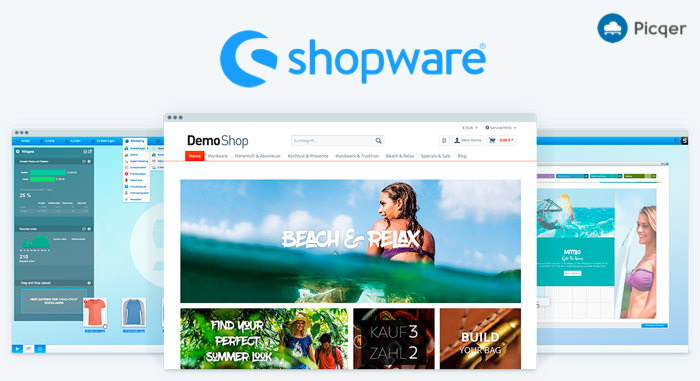
Wat is Shopware?
Shopware is open-source e-commerce software from Germany. Founded 19 years ago, it now has 100,000+ installations, 1,200 partners and more than 2,500 plugins, including one from Picqer.
Shopware is a fast growing supplier in the field of e-commerce software and is used by well-known international brands such as L’Oreal, Haribo, Bruno Banani and Stabilo. In the Netherlands, too, we increasingly see webshops that run on Shopware. So the time was right to build a Shopware integration.
Connecting Picqer to Shopware
You can easily connect your Shopware shop to Picqer. Read our support page for step by step instruction on how to connect Picqer to Shopware.
Receiving realtime orders in Picqer
Do you want to receive your orders in realtime in Picqer? Then also install the Picqer plugin for Shopware. The webshop will inform Picqer when a new order has arrived.
Read on how to install the Shopware plugin.
Looking for an older article? Browse the full blog archive with all articles.
